
All requests and work reports
Oversee every approval, request and task in the company, decide for an approver who cannot act, restore archived items, and read the work reports.
Who can use this
OwnerCompany adminRequirements
None beyond the role
Two pages in Company admin → Work give you the company-wide view of My work: All requests and Reports. Request text stays encrypted; both pages show only types, people, status, times and structured data.
All requests
All requests lists every approval, request and task in the company.
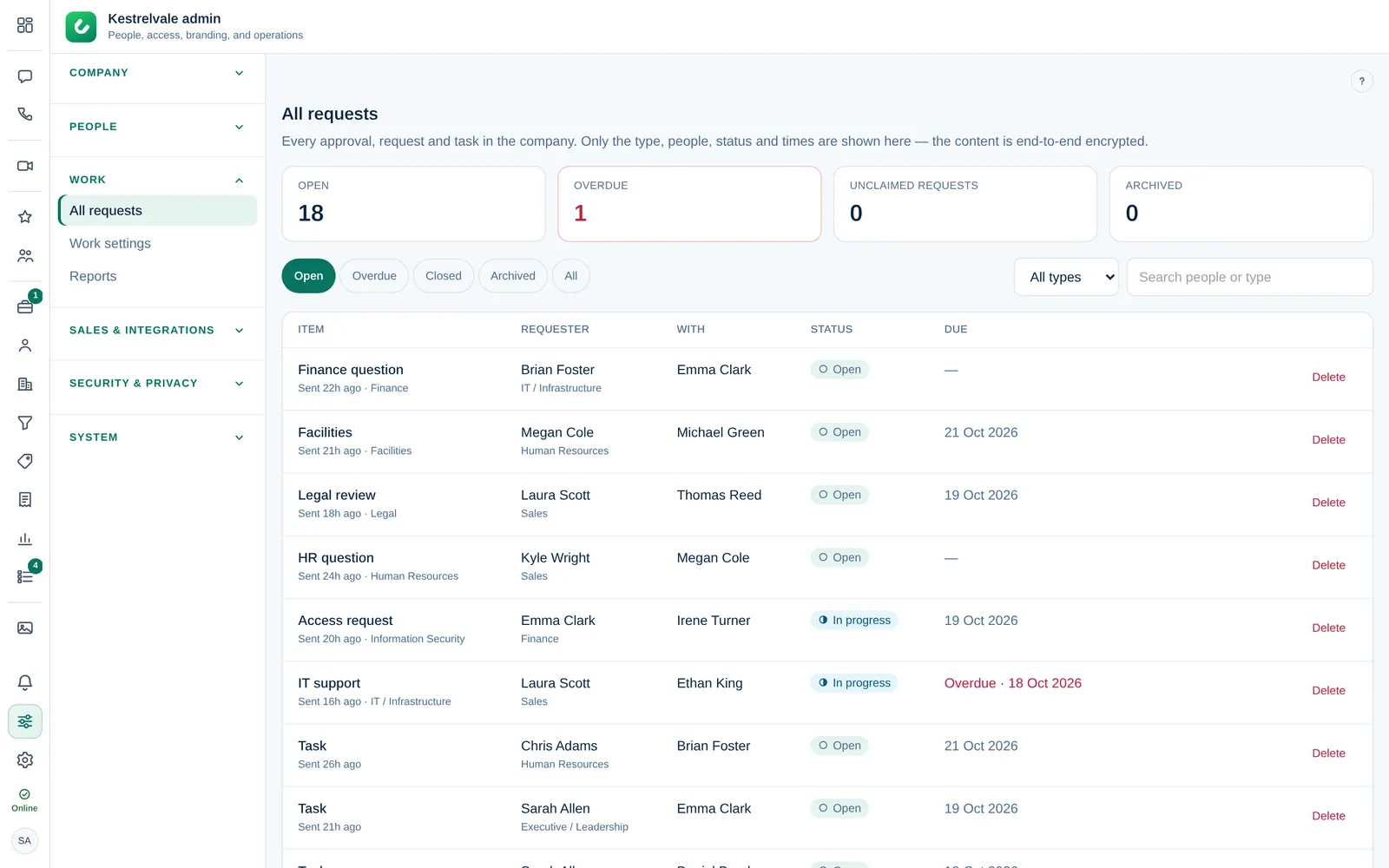
- The counters at the top show Open, Overdue, Unclaimed requests and Archived.
- Filter by Open, Overdue, Closed, Archived or All, by type (Approvals, Requests, Tasks), or search by person or type.
- Each row shows the Item, the Requester, who it is With, the Status and when it is Due. Escalated items are marked.
Decide when the approver cannot
If an approver is away or has left, you can decide in their place:
- Find the pending approval and select Approve as admin or Reject as admin.
- For a rejection, a Reason (required); for an approval, a Note (optional).
- Confirm.
The decision is recorded in the item's activity and in the audit log. This note is not encrypted, because it is written outside the request's private conversation.
To avoid this, people can name a delegate before they go on leave. See Set an out-of-office delegate.
Restore or delete
Finished items are archived and later deleted as set in Work settings → Privacy & data. An archived item has Restore. Delete removes an item with its activity and comments for good; it cannot be undone.
Reports
Reports covers the approvals and requests sent in a period. Choose From and To:
- Sent, Median time to decide, On time and Approved at the top;
- Approval time by type: how many were decided and the median time;
- Response targets and Load by department;
- Queues: the First reply time per queue;
- Approved amounts, if structured request data is on.
Export CSV downloads the period. Only the first 20,000 items are included, so pick a shorter period for very busy companies.