
Handle GDPR requests
Work through data protection requests from customers and staff, find everything stored about one person, export it, or erase it for good.
Who can use this
OwnerCompany adminRequirements
None beyond the role
Under the GDPR, people can ask what data you hold about them, ask you to correct it, or ask you to erase it. Dromix keeps these requests in one place and helps you answer within the 30 days the law allows.
Where requests come from
Anyone, customers included, can send a request with the public form at /privacy/request on your Dromix address. Colleagues find a link to it in the account menu under Account and security (Formal request form). The form asks for the Request type, the Email the data relates to and Details. The types follow GDPR Articles 15 to 21: access, correction, erasure, restriction, portability and objection.
Work through a request
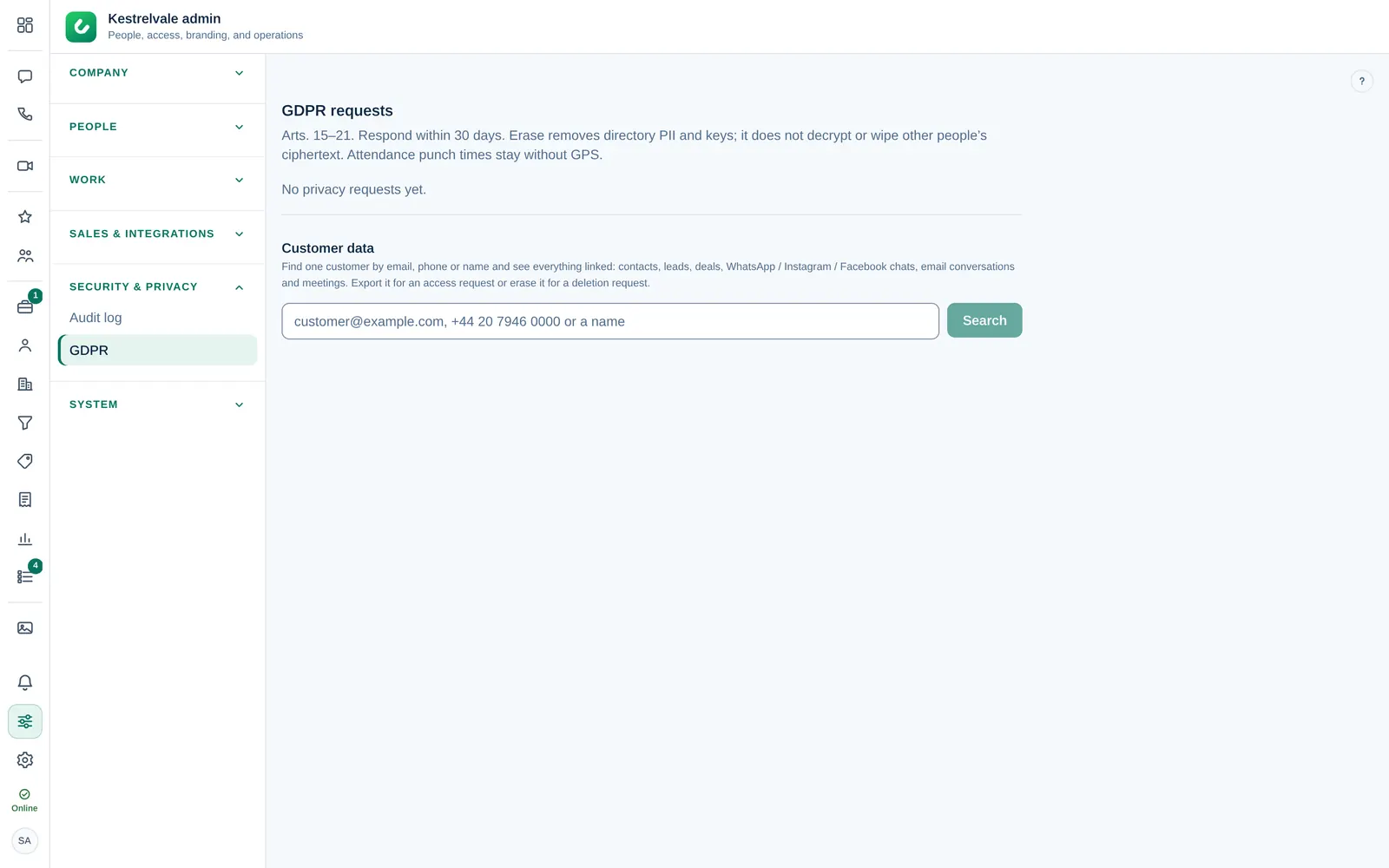
- Open Company admin → Security & privacy → GDPR.
- Under GDPR requests, each request shows its type, the email and its status.
- Select In progress when you start, so other admins know.
- Do what was asked (see below), then select Mark done. If the request is unfounded, select Reject.
Find and export a customer's data
- Select Find customer data on the request, or search under Customer data by email, phone or name.
- Choose the result. Dromix lists everything linked: contacts, leads, deals, WhatsApp, Instagram and Facebook chats, email conversations and meetings.
- For an access or portability request, select Export ZIP or Export JSON and send the file to the person.
Erase a customer's data
- In the result, select Erase….
- Read what happens and type ERASE to confirm.
- Select Erase permanently.
Erasing cannot be undone. Export first if the person also asked for a copy.
What erasing does:
- Contacts and leads keep no name, email, phone, notes, photo or timeline.
- Deals stay, without the person, so totals and reports remain correct.
- WhatsApp, Instagram and Facebook conversations, their messages and media are deleted.
- Email conversation records are removed from Dromix; the emails themselves stay with your mailbox provider.
- Sender blocks and consent records stay, without the name, as proof.
Requests from colleagues
When the request comes from someone with a Dromix account, the request shows Erase account PII. It replaces their directory fields with Deleted user, signs them out and destroys their keys. Attendance punch times stay, without GPS. Messages they sent in other people's chats are not wiped. You can also do this from their person panel with Erase (GDPR). See Suspend, offboard or remove someone.
Every export and erasure is written to the audit log.