
Company settings
Fill in your company profile, legal and privacy details and bank account, and find the right Settings tab for files, meetings and more.
Who can use this
OwnerCompany adminRequirements
None beyond the role
Company admin → Company → Settings holds the settings for your whole company. Each tab is saved on its own: change a tab, then select the Save button at its bottom. A dot on a tab means it has unsaved changes.
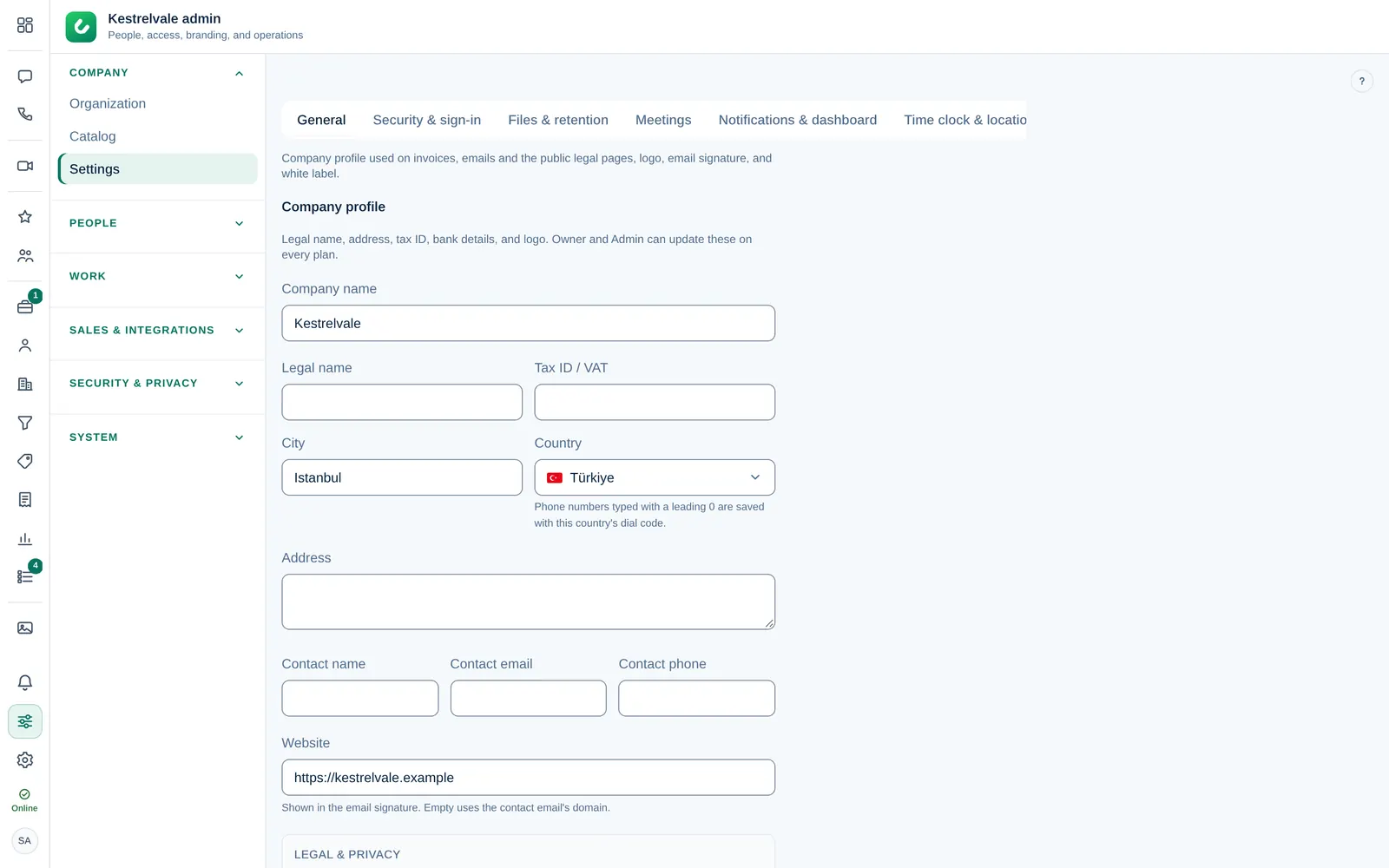
Company profile
On the General tab, under Company profile, fill in the Company name, Legal name, Tax ID / VAT, Address, City and Country, plus a contact person with Contact name, Contact email and Contact phone, and your Website.
These details appear on invoices, in emails and on your server's public legal pages. Phone numbers typed with a leading 0 are saved with the dial code of the Country you chose.
Legal and privacy
Under Legal & privacy you enter what the GDPR requires on your public pages (Privacy, Terms, Cookies and the data request form):
- Privacy email: where data requests go. Empty uses the contact email.
- Company registration number, for example HRB 12345, Amtsgericht Berlin.
- Data protection officer name and email, if you have one.
- EU representative: only needed when your company is not established in the EU or EEA.
- Publish a data processing agreement at /dpa: turn it on if you process personal data for your own clients.
Bank account
Under Bank account, enter the Bank name, Account holder and IBAN. They are printed on your invoices.
The other tabs
| Tab | What you set there |
|---|---|
| Security & sign-in | Allowed email domains, how long sign-ins last, two-step verification, QR code sign-in, office networks. See Sign-in security. |
| Files & retention | How long messages and files are kept (Keep forever, or delete after 30, 90 or 365 days), the Max file size (MB) and Blocked file extensions. |
| Meetings | The microphone filter, recording quality, layout and retention, and the most people in one meeting. |
| Notifications & dashboard | Overnight quiet hours, the Company timezone and the top performer card on the dashboard. |
| Time clock & location | Clock in and out, the team map and location sharing. See Turn modules on or off. |
| Leads | Who gets new leads, the first-reply target and blocked senders. See Lead settings. |
| CRM fields | Custom fields and tags on contacts, companies, leads and deals. |
| Currency | The base currency and exchange rates. |
| Invoicing | Payment methods, numbering, tax, reminders and products. See Invoices. |
Message and file retention removes encrypted content after the period you choose. Dromix never reads the contents to do this.