
Deal owner and observers
Who owns a deal, how to hand it over, and how to let colleagues follow a deal as observers.
Who can use this
OwnerCompany adminHRDepartment managerMemberRequirements
- Owner or observer of the deal
Every dealDeal A sales opportunity with a value, an owner and a stage in a pipeline. Deals are what the Deals board, the forecast and the sales reports count. has at most one ownerDeal owner The person responsible for a deal. The owner and Company admins can edit and move it; the owner gets its notifications. and any number of observersObserver A colleague added to a deal to follow it. Observers read all its messages, emails and meeting notes and can add notes, but cannot edit or move it.. Together they decide who sees the whole deal and who can change it.
Who can do what
| Person | Sees the full deal | Edits fields, stage and owner | Logs calls and meetings | Adds notes | Adds or removes observers |
|---|---|---|---|---|---|
| Owner Company admin | ✓ | ✓ | ✓ | ✓ | ✓ |
| Deal owner | ✓ | ✓ | ✓ | ✓ | ✓ |
| Observer | ✓ | – | ✓ | ✓ | Only themselves (Leave) |
| Others with CRM accessCRM access Permission to open Leads, Contacts, Companies and the Deals board. Owners and Company admins always have it; other people get it through their department, a personal grant, or access to a messaging channel. | A summary | Only if the deal has no owner | Only if the deal has no owner | ✓ | – |
Being owner or observer also works without CRM access: the deal then shows up under Deals for you, but Leads and Contacts stay hidden.
You see only a summary of a deal? Ask its owner or a Company admin to add you as an observer.
See the owner and observers
Open the deal. The owner and observers are shown at the top right; select them to open the list.
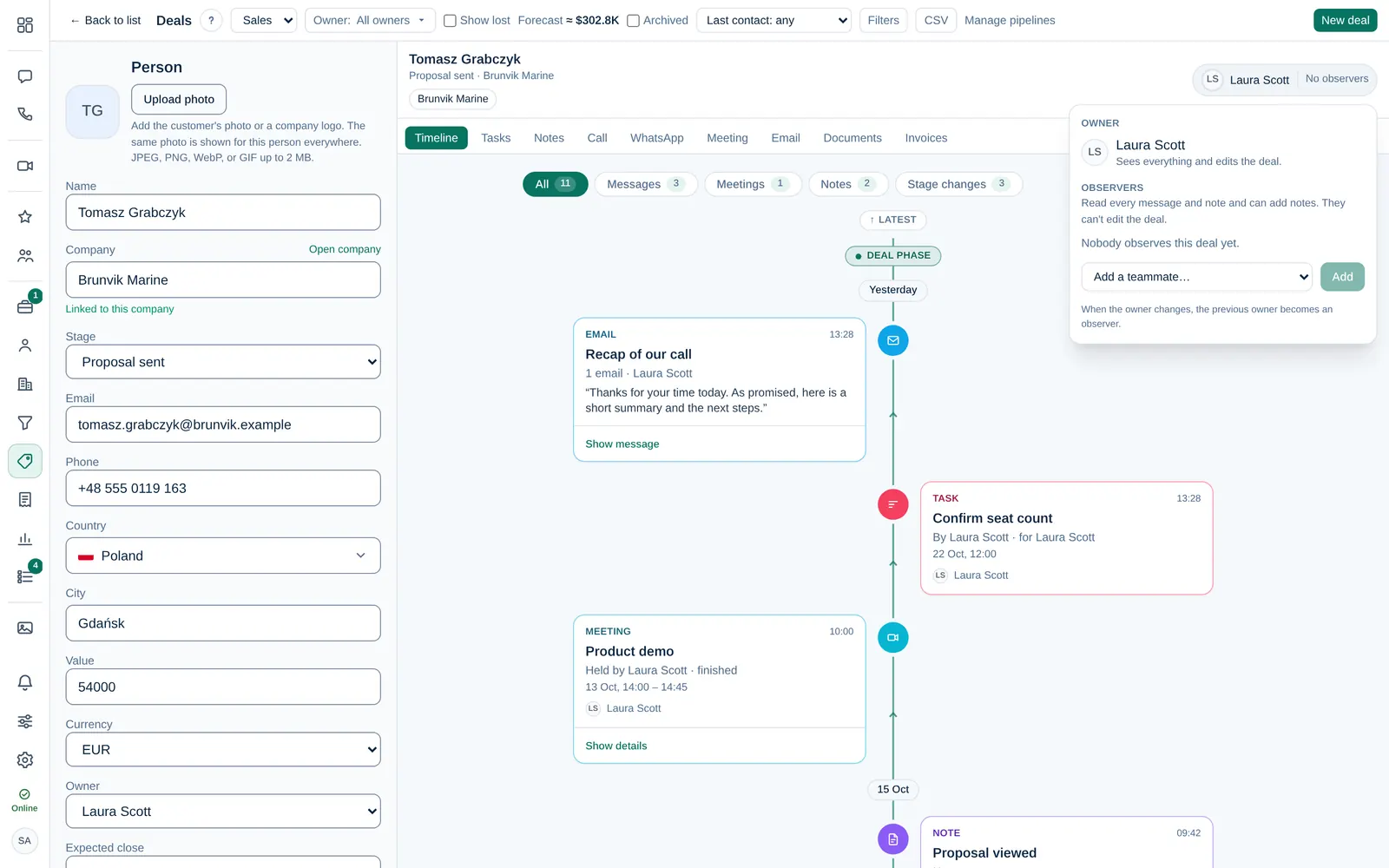
Add an observer
- Open the list at the top right of the deal.
- In Add a teammate…, pick a colleague and select Add.
Only the deal owner or a Company admin can add observers. Each observer has a Notify switch for new activity on the deal; they can turn it off for themselves.
Remove an observer or stop observing
- The owner or a Company admin selects Remove next to an observer.
- Observers select Leave next to their own name to stop following the deal.
Hand a deal over
- Open the deal and change Owner in the details on the left. On the board or in the list you can also use Assign to… on the deal.
- The new owner gets a notification and an email.
The previous owner automatically becomes an observer, so they keep the history and can still help.