
Sign-in security
Limit invites to your email domains, set how long sign-ins last, require two-step verification, allow QR code sign-in and restrict sign-in to office networks.
Who can use this
OwnerCompany adminRequirements
None beyond the role
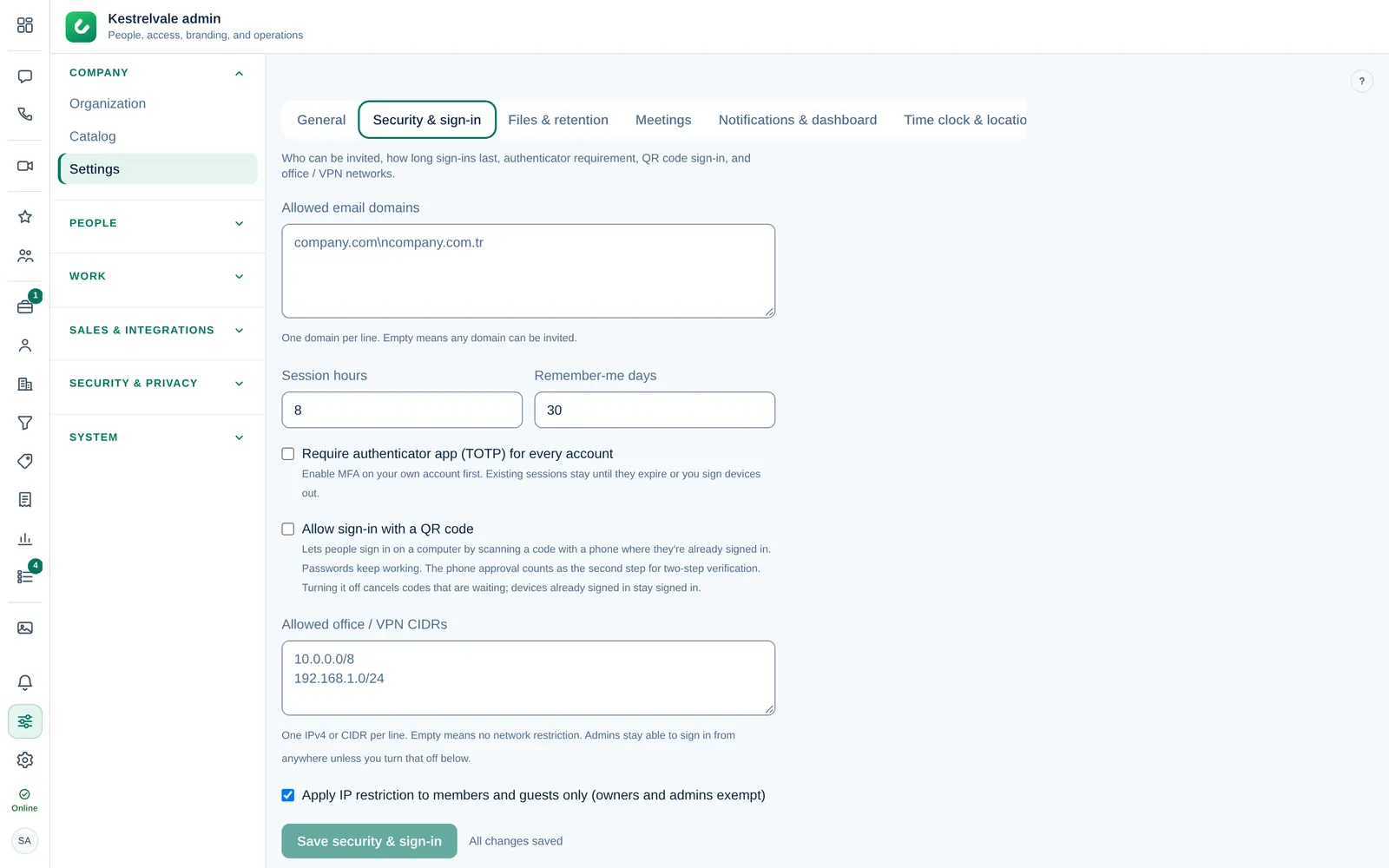
These settings protect every account in your company. Open Company admin → Company → Settings → Security & sign-in, make your changes and select the Save button at the bottom of the tab.
Allowed email domains
Under Allowed email domains, enter one domain per line, for example northwind-demo.test. You can then only invite addresses from these domains. Empty means any domain can be invited. Guest Guests are the only exception.
How long sign-ins last
- Session hours (1 to 72): how long a sign-in lasts without Keep me signed in on this device.
- Remember-me days (1 to 90): how long it lasts when someone ticks Keep me signed in on this device on the sign-in page.
Require two-step verification
Tick Require authenticator app (TOTP) for every account. After that, anyone without an authenticator app sees Your company requires an authenticator app before you can use Dromix. at their next sign-in and must set one up before they can continue.
Turn on two-step verification for your own account first, under Account and security. Sessions that are already open stay until they expire or you sign the devices out. See Password and two-step verification.
QR code sign-in
Allow sign-in with a QR code lets people sign in on a computer by scanning a code with a phone where they are already signed in. Passwords keep working. The phone approval counts as the second step of two-step verification.
Turning it off cancels codes that are waiting. Devices already signed in stay signed in.
Office and VPN networks
Under Allowed office / VPN CIDRs, enter one IPv4 address or range per line, for example 203.0.113.0/24. Sign-in then only works from these networks. Empty means no network restriction.
With Apply IP restriction to members and guests only (owners and admins exempt) turned on, the Owner and Company admins can still sign in from anywhere. Leave it on unless you are sure, so you cannot lock yourself out.
Failed and blocked sign-ins appear in the audit log.