
Dismiss a lead and block senders
Mark vendors, newsletters and spam as Not a lead, stop the same sender from opening new leads, and undo it when you made a mistake.
Who can use this
OwnerCompany adminHRDepartment managerMemberRequirements
- CRM access (department, personal grant or channel)
Not every message is a sales enquiry. Not a lead removes vendors, newsletters and spam from the lead queue but keeps the record and its history, so you can reopen it later.
Dismiss a lead
- Open the lead in Leads.
- Under Decision, select Not a lead….
- Choose a Reason: Vendor / service, Newsletter / marketing, Spam or Other. Add a Note (optional), for example Our hosting provider's billing emails.
- Choose whether to block the sender: - For a chat: Don't create leads from this chat again. - For email: Don't create leads from this email sender again, with the Block scope Only this address or Whole domain.
- Select Dismiss lead.
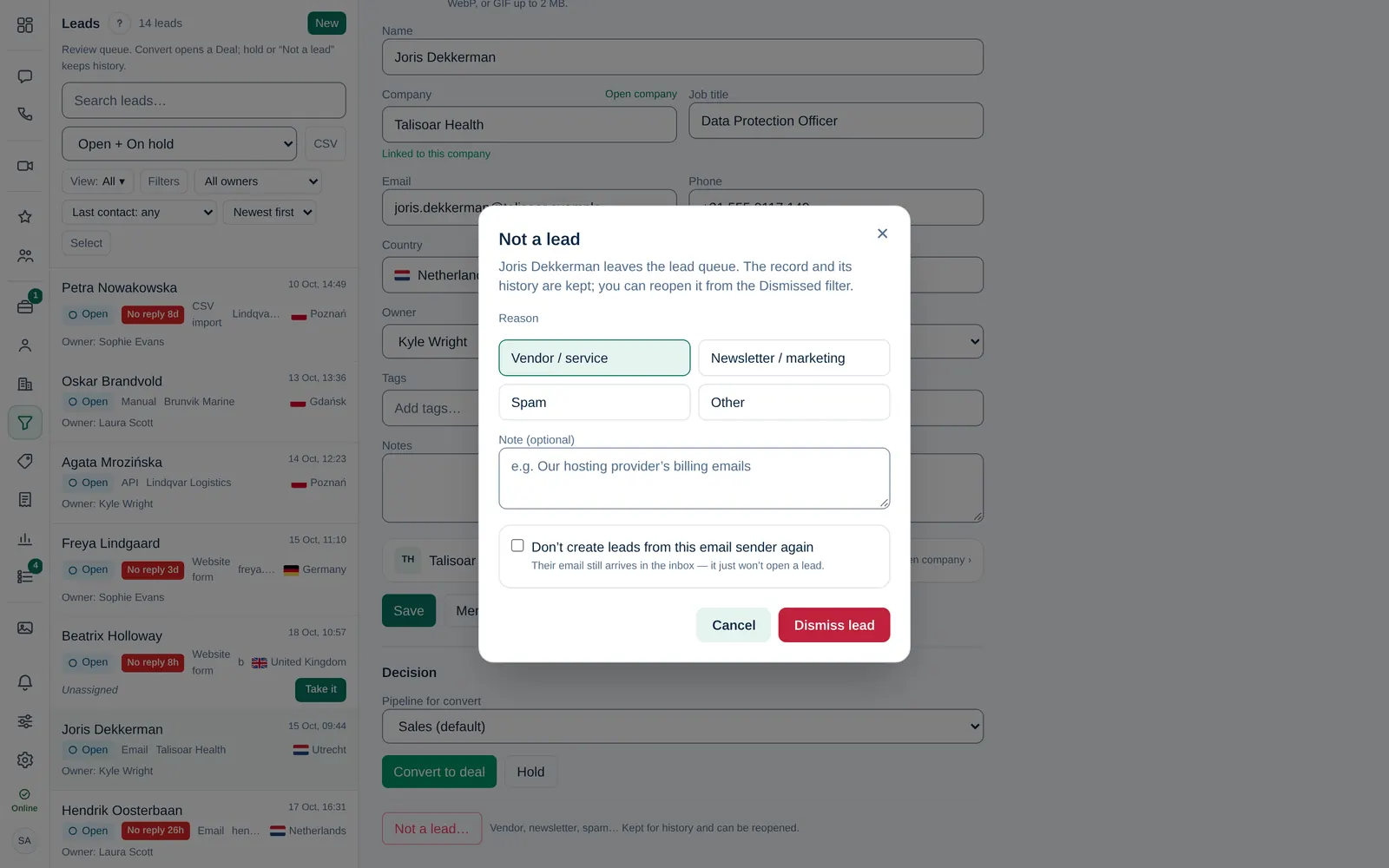
With Spam, the sender is blocked automatically. Messages from a blocked sender still arrive in the chat or Inbox; they just no longer open a lead.
For Gmail, Outlook and other public mail providers you can only block the address, not the whole domain.
Undo a dismissal
- In Leads, choose the Dismissed status filter.
- Open the lead and select Reopen lead.
The lead is back in the queue and any sender block it created is removed.
Manage blocked senders
Owner Company admin The full list is in Company admin → Company → Settings → Leads, under Lead filters · blocked senders. For each sender you see who added it and how many messages were skipped.
- To add one, choose the Type (Email address, Whole domain or WhatsApp number), enter it and select Add. WhatsApp numbers need the country code.
- To remove one, select Remove next to it. New messages from that sender can open leads again.
Dismissed leads are deleted automatically after the period your company chose under Delete dismissed leads after. Blocked senders stay blocked.