
Change someone's role
Switch a person between Member, Department manager and HR in Organization, and what changes for them.
Who can use this
OwnerCompany adminRequirements
None beyond the role
You choose a roleRole What a person can open in Dromix: Owner, Company admin, HR, Department manager or Member. Every person has exactly one role. Guest accounts are no longer available; outside people join meetings and webinars with a link. when you invite someone. Later you change it in Organization. This is also the only place to make someone a Department manager.
Change the role
- Open Company admin → Company → Organization.
- Search for the person and select them.
In the panel on the right, choose the new Role: Member, Department manager or HR.
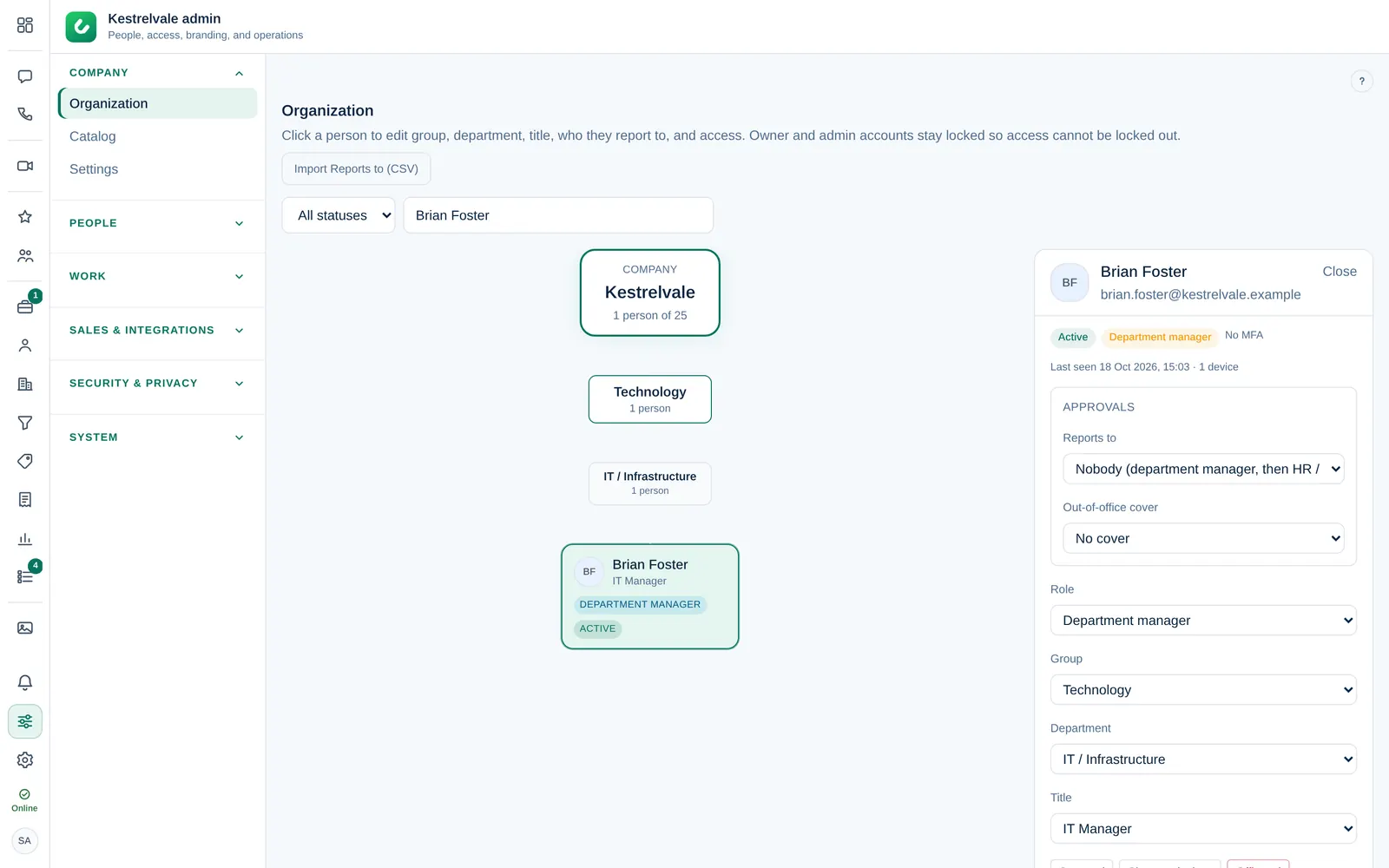
The change is saved immediately and written to the audit log (Security & privacy → Audit log).
The person sees their new menu after they reload Dromix or sign in again.
What each change means
| New role | What changes |
|---|---|
| Department manager | Approves requests from their department and sees Reports and the team report. Check that the department in the same panel is right. |
| HR | Sees phone numbers, employee IDs and emails in the directory and can post company announcements. Only the Owner or a Company admin can make someone HR. |
| Member | Back to the standard set: chats, meetings, directory and My work. |
Approvals follow Reports to first. If you also set Reports to in the same panel, new approvals go to that person; with Nobody, the department manager, then HR or the Company admins decide.
What you cannot change here
- Owner and Company admin accounts are locked in Organization, so nobody can lock the company out by mistake.
- Company admin is not in the list. A Company admin is created by an invite from the Owner.
- The role select is disabled for people who are not active, for example offboarded people.
- Guest is not in the list. Guest accounts are no longer available; people outside your company join meetings and webinars with a link. A person who still has the old Guest role cannot sign in until you choose another role for them.
The role does not decide CRM access. To give someone Leads, Contacts and Deals, use CRM access.