
Find your way around
How the left rail, the bottom bar on phones, notifications, the Settings menu and your account menu fit together, and how to get to Help.
Who can use this
OwnerCompany adminHRDepartment managerMemberGuestRequirements
None beyond the role
Dromix looks the same on every device, but on a phone the menu moves to the bottom of the screen. This page shows where everything is. For what each section does, see Dromix at a glance.
On a computer
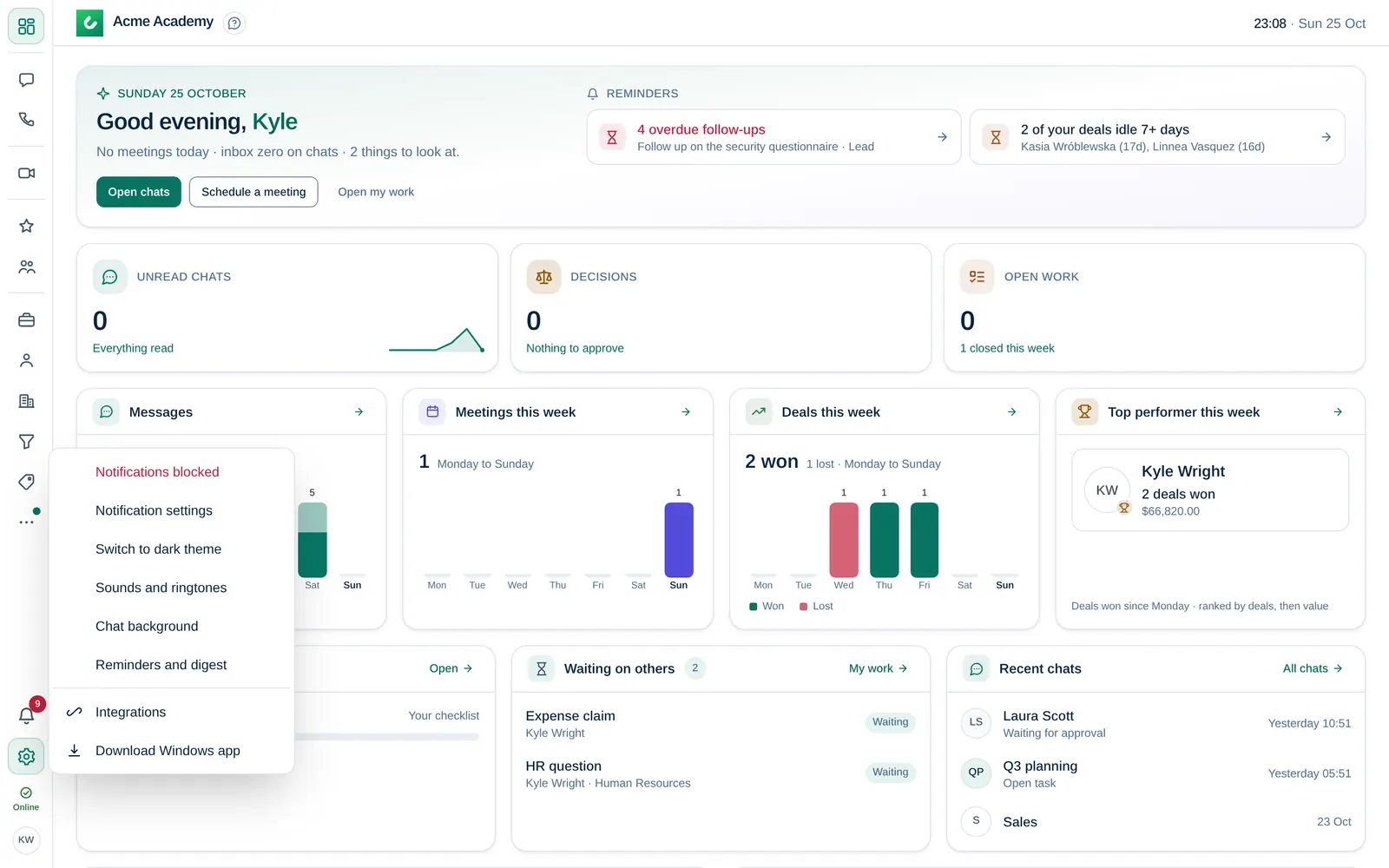
The left rail has two parts:
- At the top, the sections: Dashboard, Chats, Meetings, My work, Leads and so on. Hover over an icon to see its name. A number on an icon shows unread items, for example new email in Inbox.
- At the bottom:
- the bell: your notifications;
- Owner Company admin Company admin (sliders icon), for the Owner and Company admins;
- Settings (gear icon): Notification settings, light or dark theme, Sounds and ringtones, Chat background, Reminders and digest, Integrations and Download Windows app;
- your status, for example Available or Away;
- your account picture: Profile, Account and security, Change password, My notes, Media, Link a device (when QR code sign-in is allowed), Help and Sign out.
On a phone
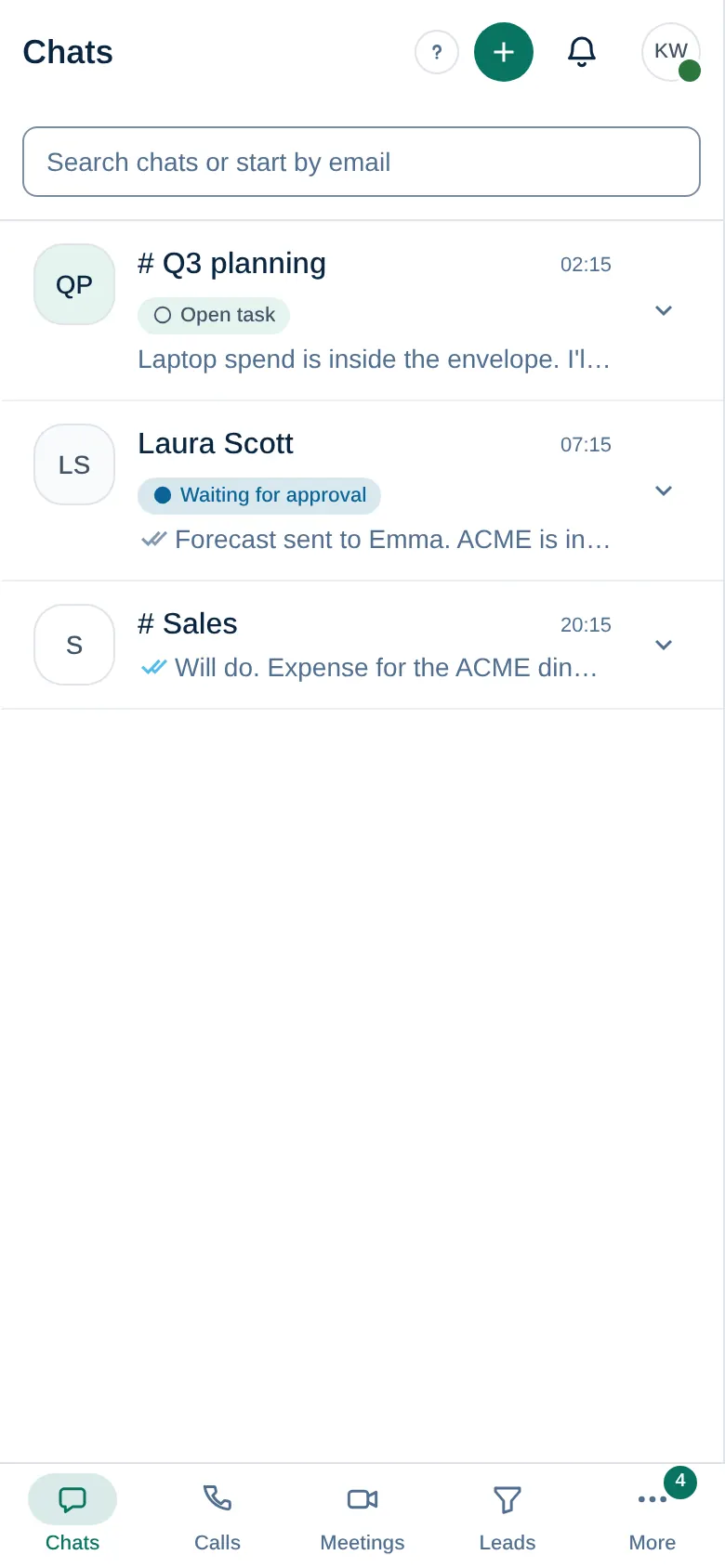
- The bottom bar shows four sections, for example Chats, Calls, Meetings and Leads. Which ones you get depends on what you can see; Inbox comes before Meetings when you have a mailbox.
- More opens everything else, grouped like the rail, plus Company admin and Integrations. Select Edit pins to pin up to 2 sections to the top of More.
- At the top of the screen are the bell and your picture. Your picture opens your status, profile, settings and Sign out.
Notifications
Select the bell to see assignments, approvals, reminders and mentions. Switch between Unread and All, and select Mark all read when you have caught up. Settings in the same panel opens your notification settings. See Notifications.
Get help
- Choose Help in your account menu to open this Help Center in your language.
- Many screens have a ? next to their title. It opens the article for that screen.
Missing a section that a colleague has? See Why can't I see a menu item?