
Dromix at a glance
What Dromix is, what each part of the left rail does, and why some people see more of it than others.
Who can use this
OwnerCompany adminHRDepartment managerMemberGuestRequirements
None beyond the role
Dromix keeps your team's chats, calls, meetings, requests and customer sales in one place. Your company runs it on its own server, so its data stays there.
The left rail
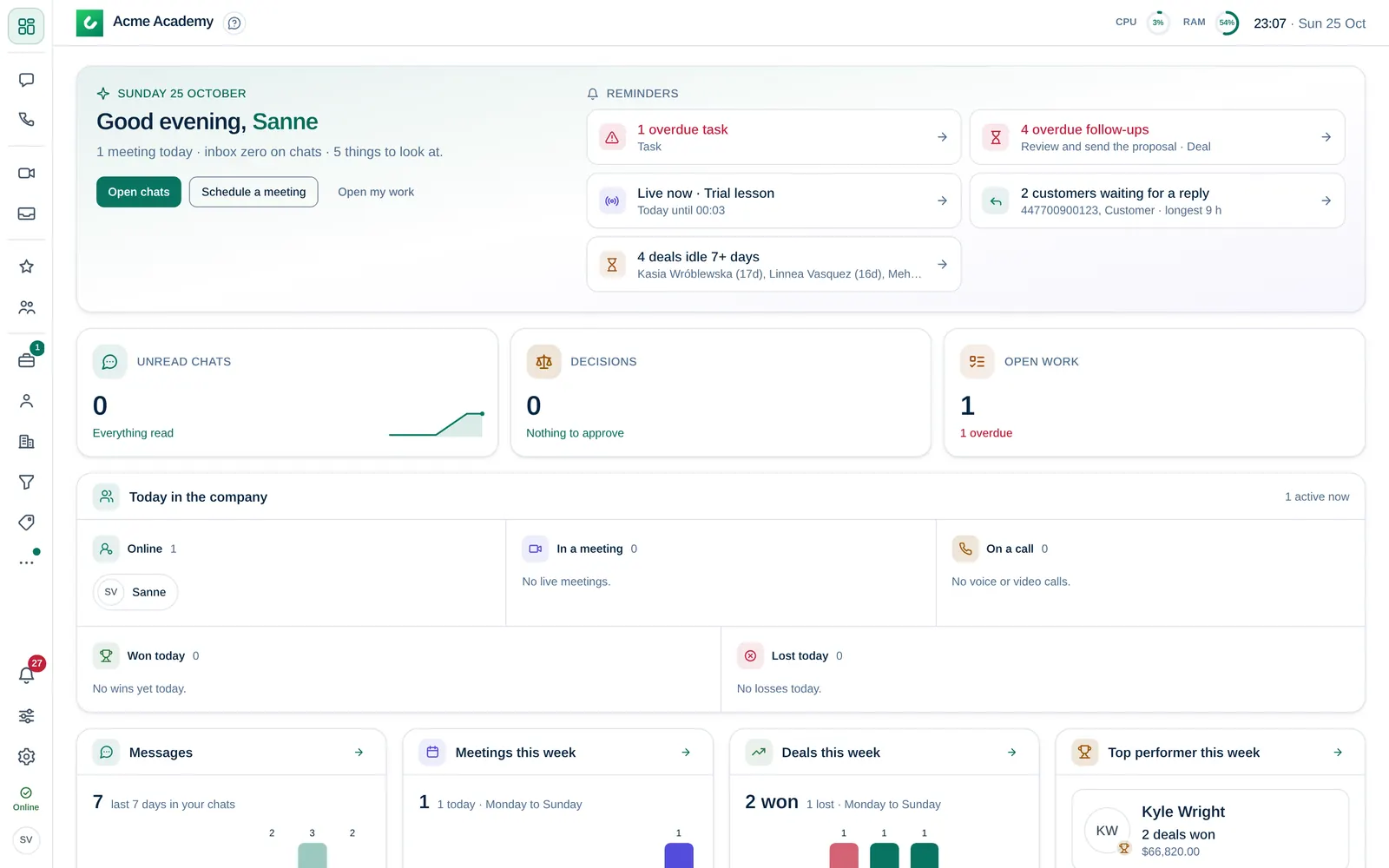
The icons on the left open the parts of Dromix. What you see depends on your roleRole What a person can open in Dromix: Owner, Company admin, HR, Department manager or Member. Every person has exactly one role. Guest accounts are no longer available; outside people join meetings and webinars with a link., on CRM accessCRM access Permission to open Leads, Contacts, Companies and the Deals board. Owners and Company admins always have it; other people get it through their department, a personal grant, or access to a messaging channel. and on what your company has switched on.
| Section | What it is for | Who sees it |
|---|---|---|
| Dashboard | Your day: unread chats, decisions waiting for you, open work, meetings and the team. | Everyone |
| Chats, Call history, Favorites | Direct chats and channels with colleagues, calls and the people you starred. | Everyone |
| Meetings | Video rooms: the always-open Main office, rooms you open now and meetings you schedule. | Everyone except Guests |
| Directory | Every colleague with their department and title. | Everyone except Guests |
| My work | Approvals, requests and tasks that need you or that you sent. | Everyone except Guests |
| Inbox | Email from your own mailbox and team inboxes. | People with a connected mailbox or access to a team inbox |
| Time clock | Clock in and out. | When your company turned it on |
| Contacts, Companies, Leads, Deals | Customers and sales. | People with CRM access (Deals also for owners and observers of a deal) |
| Invoices, Reports | Billing and sales numbers. | See Why can't I see a menu item? |
| Company admin (sliders icon) | Settings, people, integrations and security. | Owner and Company admins |
Time clock, Invoices, Reports and Your first week open from the More menu: the three dots right after Deals. It shows only the ones you can use; a dot on the three dots means one of them has open items. On a phone they are in the More sheet of the bottom bar, as before.
Your account menu, the round picture at the bottom of the rail, holds your profile, Account and security, Change password, My notes, Media (photos and videos from your chats), Help and Sign out. Your status and the Settings menu (notifications, theme, Integrations) sit just above it.
What is private
- Chats between colleagues, work items (approvals, requests, tasks) and your notes are encrypted. Only the people in them can read them.
- Customer data (Contacts, Leads, Deals, invoices) is stored on your company's own Dromix server, not with us. It is not encrypted, so the people your company gives CRM access can work with it.
- WhatsApp, Instagram and Facebook chats pass through those services.
Where to go next
- New here? Start with Sign in for the first time.
- Your first 10 minutes walks a new team member through the basics. Sales people continue with Your first 10 minutes in sales.
- Roles and permissions explains the six roles.