
Start a chat or a channel
Message one colleague, create a group channel for a team or project, or post a company announcement.
Who can use this
OwnerCompany adminHRDepartment managerMemberGuestRequirements
None beyond the role
Chats with colleagues are encrypted: only the people in the chat can read them. There are three kinds:
| Kind | For | Who can start it |
|---|---|---|
| Direct chat | You and one colleague | Everyone except Guests |
| Group channel | A team, project or topic, with chosen members | Everyone except Guests |
| Announcement | Company news. Only Owner, Company admins and HR post; everyone else reads | Owner, Company admin, HR |
Message one colleague
Open Chats and select + at the top of the list.
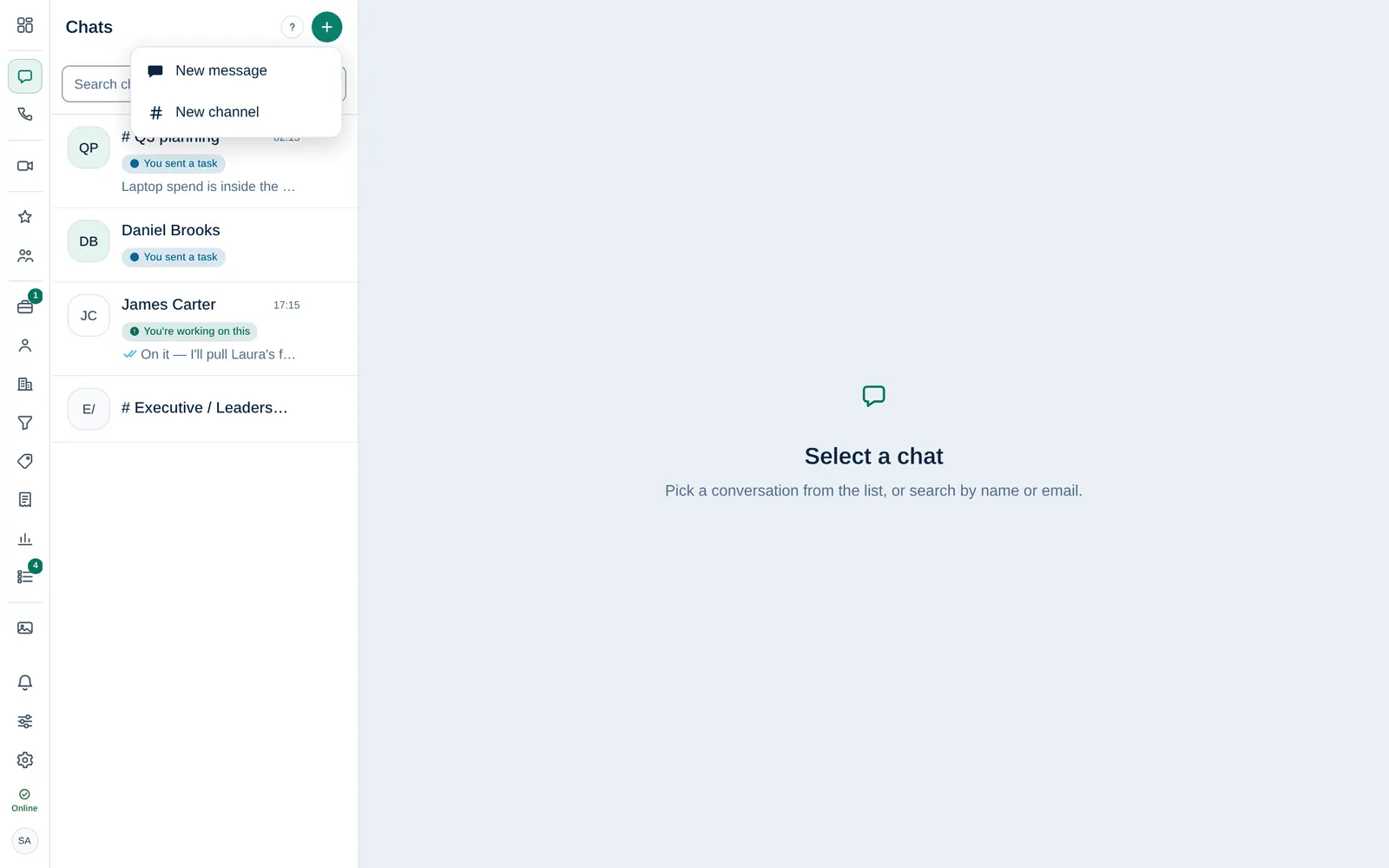
- Choose New message.
- Search the directory by name, title or department and pick the person. The chat opens and you can write right away.
Faster: type a colleague's full email address in the Search chats or start by email box and press Enter.
Create a group channel
- In Chats, select + → New channel.
- Keep Group selected.
- Enter a Name and, if you like, a Topic that says what the channel is for.
Under Members, search and select at least one colleague.
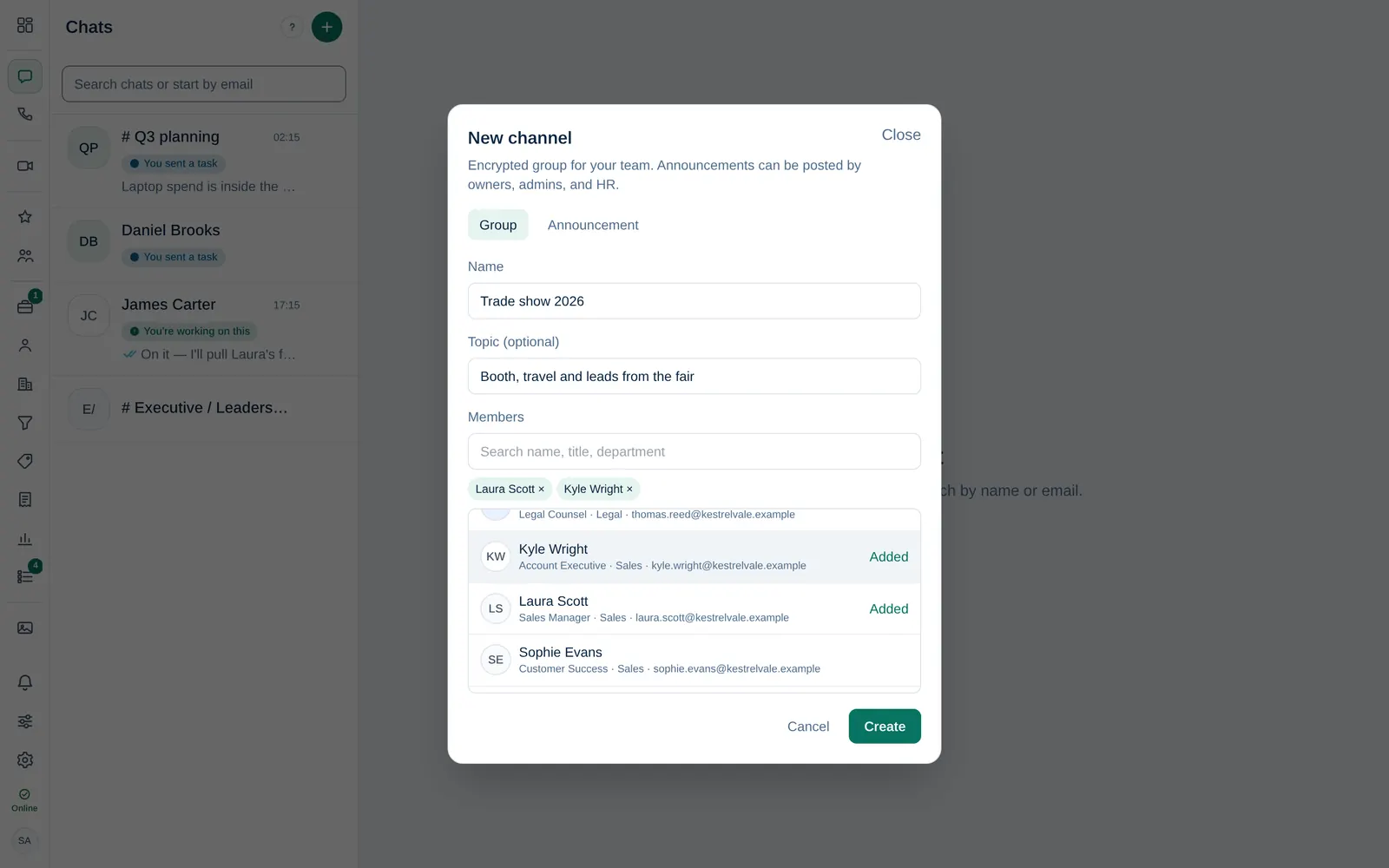
- Select Create.
Open the channel's panel to see its members. The creator, the Owner, Company admins, HR and Department managers can Edit group and add or remove people there. Every member can Leave group.
Post an announcement
For Owner Company admin HR.
- Select + → New channel and switch to Announcement.
- Enter a name and topic.
- Leave Members empty to add everyone in the directory, or pick specific people.
- Select Create. Only the Owner, Company admins and HR can post in it; everyone else reads it.
Customer chats
If your company connected WhatsApp, Instagram or Facebook and you answer those channels, customer chats appear in Chats too, with their own tabs. They pass through those services. See Answer WhatsApp customers.