
Send a request or ask for approval
Ask your manager to approve time off, an expense or a purchase, or send a request to IT, HR, Legal and other teams, and follow it until it is done.
Who can use this
OwnerCompany adminHRDepartment managerMemberRequirements
None beyond the role
My work handles two kinds of asks:
| Ask for approval | Send a request | |
|---|---|---|
| For | A yes or no from a person: time off, expenses, purchases, discounts, system access | Help from a team: IT, access, HR, legal, facilities, finance |
| Goes to | The right approver, based on who you report to | The team that handles it; the first free person claims it |
| Ends with | Approved or rejected | Done |
What you write is encrypted before it leaves your device. The server only records the form name, where it went, the status and the response time.
Ask for approval
Open My work and select New → Ask for approval.
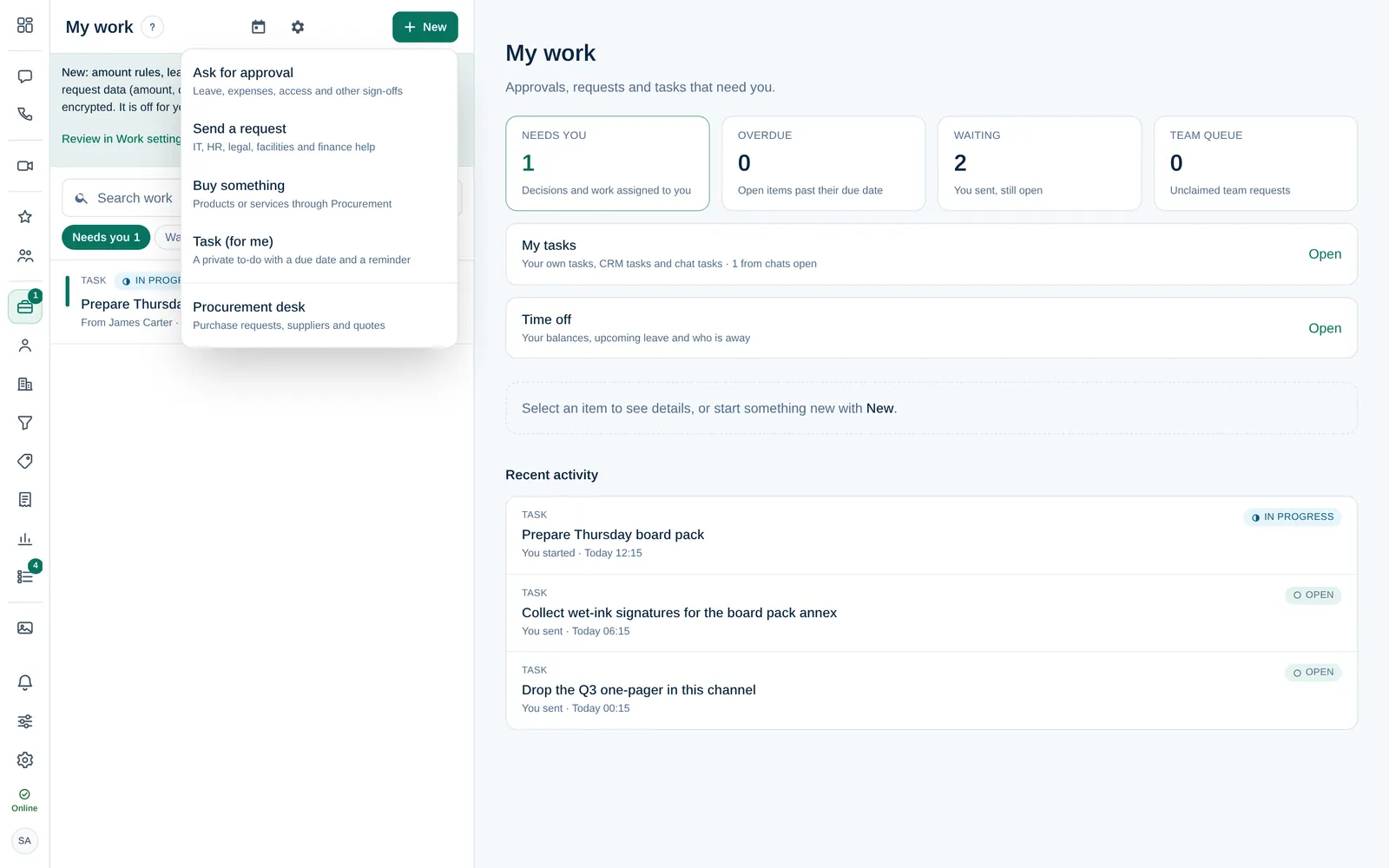
- Choose the Type: Leave request, Expense claim, Purchase request, Discount approval, System access or Other approval.
Check Goes to. Dromix shows who will decide, for example your department manager.
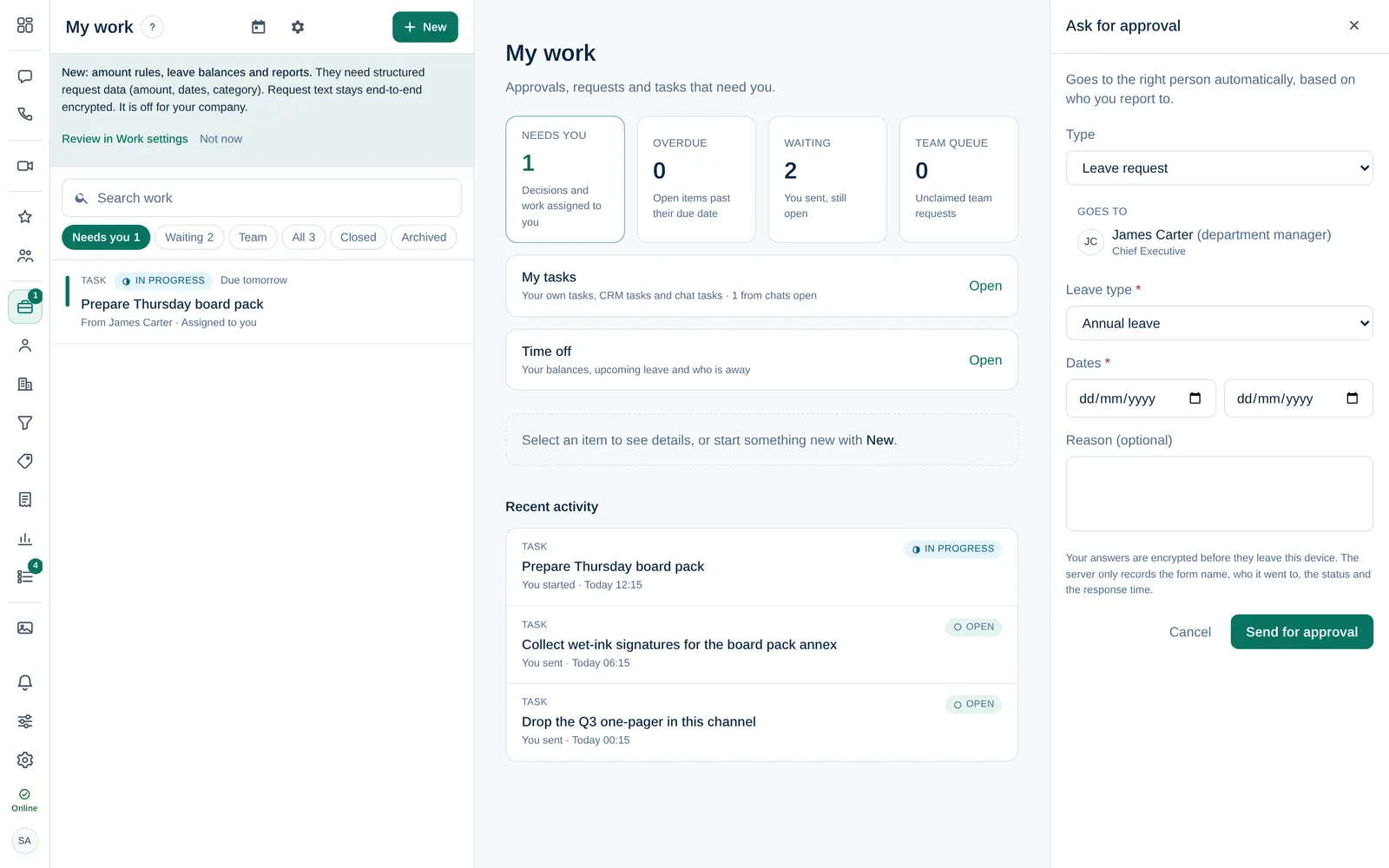
- Fill in the fields of the form. Required fields are marked with *.
- Select Send for approval.
Who decides depends on the type and on your place in the organisation: usually the person you report to, otherwise the department manager of your department, then HR or the Company admins. If the approver is away, their delegate decides. If Dromix says nobody can approve it yet, ask a Company admin to set who you report to.
Send a request to a team
- Select New → Send a request.
- Choose the Form: IT support, Access request, HR question, Legal review, Facilities, Finance question or Other request.
Goes to shows the team, for example "IT / Infrastructure · first free person claims it".
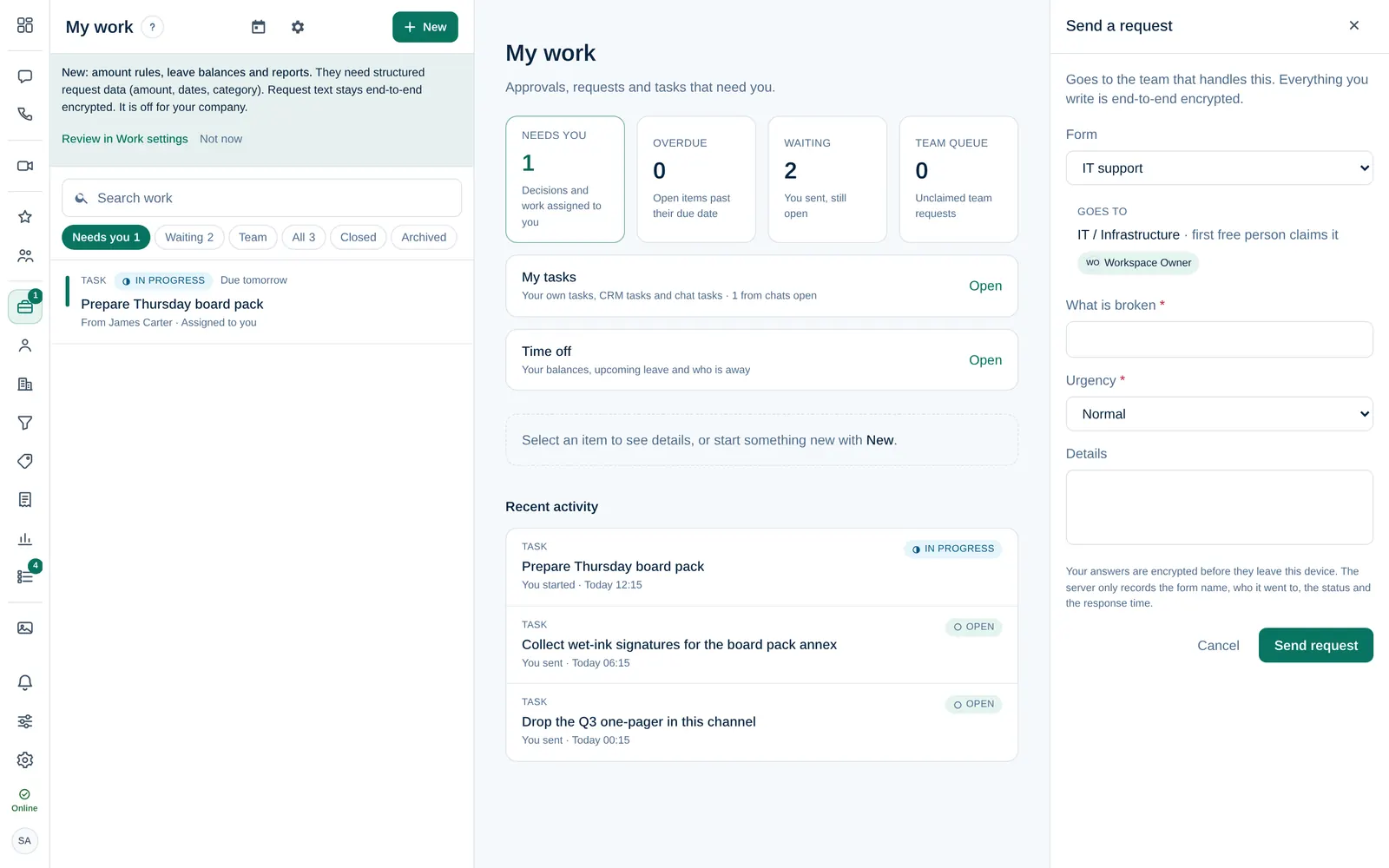
- Describe what you need and select Send request.
To attach a file, add it right after sending: the request opens, and files are encrypted there.
Follow up
- Waiting in My work lists everything you sent that is still open. Select an item to see its status, who has it, and its activity.
- Add a comment in the item's activity if you need to add information.
- You get a notification when your request is approved, rejected or done. A rejection always comes with a reason.
Other things under New
- Buy something sends a purchase to your company's procurement team.
- Task (for me) is a private to-do with a due date and a reminder.
- Procurement desk lists purchase requests, suppliers and quotes.