
My work
How My work collects approvals, requests and tasks in one list, what each tab means and how to pick up, hand off or archive an item.
Who can use this
OwnerCompany adminHRDepartment managerMemberRequirements
None beyond the role
My work is your list of everything that waits for a person: approvals, team requests, purchase requests and your own tasks. Guest Guests do not have My work.
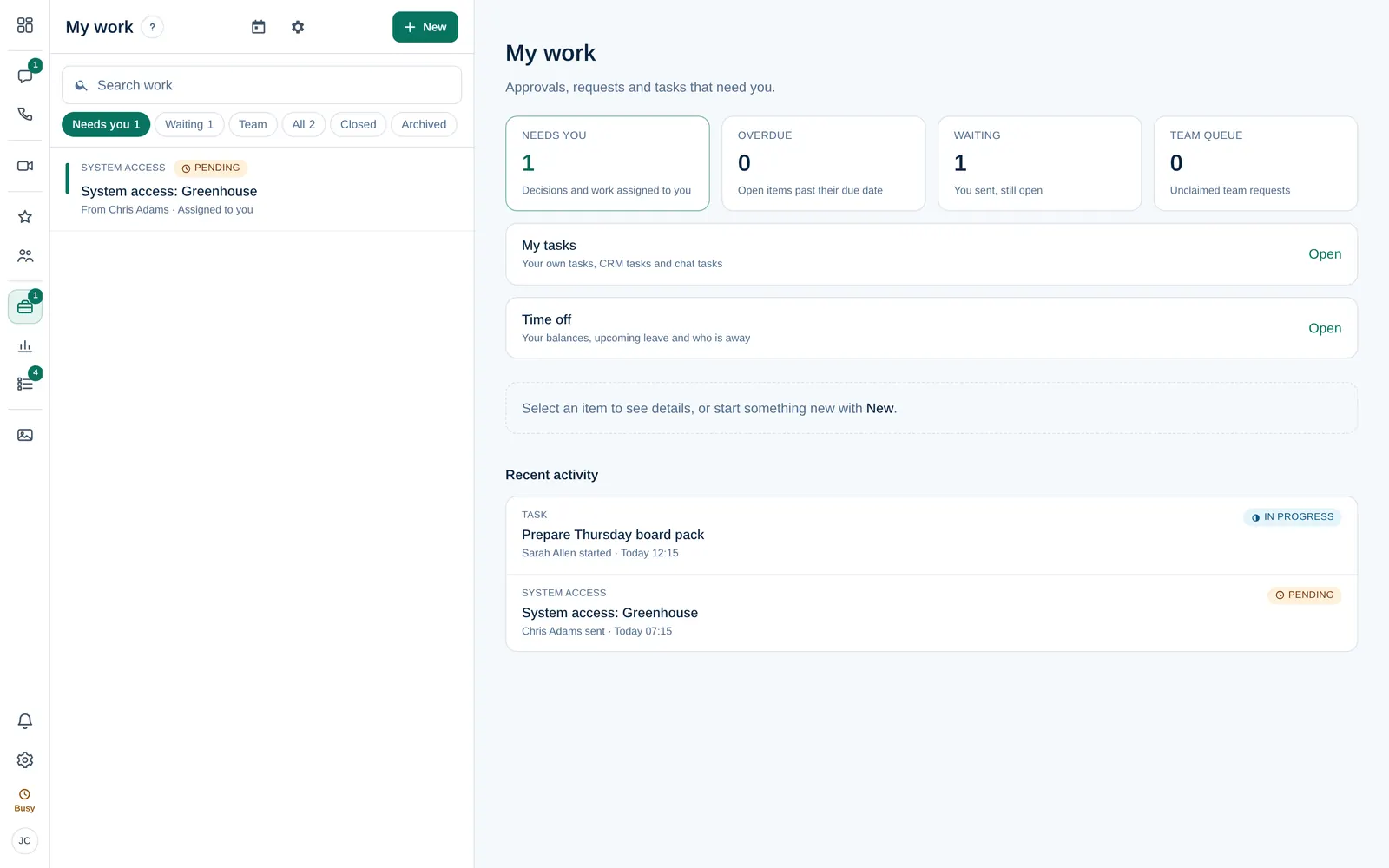
The overview
When nothing is selected, My work shows an overview with shortcuts: Needs you, Overdue, Waiting, Team queue, My tasks and Time off. Select a tile to open that list.
The tabs
| Tab | What is in it |
|---|---|
| Needs you | Decisions and work assigned to you: approvals you must decide, requests you claimed, tasks for you |
| Waiting | What you sent that is still open |
| Team | Unclaimed requests for the teams you are in, grouped by team |
| All | Every open item you can see |
| Overdue | Open items past their due date (the tab only appears when there are some) |
| Closed | Approved, rejected, done and cancelled items |
| Archived | Items that were archived |
Use Search work above the tabs to find an item by its title or text. The most urgent items are at the top.
Work with an item
Select an item to see its details, who it is from, the people involved and the conversation.
- Approvals: select Approve or Reject. See Approve or reject a request.
- Team requests: select Claim to take it, then Resolve when you are done.
- Your own items: select Withdraw or Cancel request while they are still open.
Depending on your role, you see more buttons below the details:
| Button | Who can use it |
|---|---|
| Hand off (approvals) or Reassign | The person who holds the item, Owner and Company admin; for tasks also the person who created them |
| Put back in queue | The person who claimed a team request, Owners and Company admins |
| Archive | Owners and Company admins, and the sender once the item is closed |
| Restore | Owners, Company admins and the sender |
| Delete permanently | Owner Company admin |
Delete permanently removes the item, its activity and its comments for everyone. This cannot be undone.
Start something new
Select New to choose Ask for approval, Send a request, Buy something or Task (for me). See Send a request or ask for approval.
My work settings
The gear button opens My work settings:
- Daily summary: at 08:30 your time, what needs you, what is overdue and unclaimed team requests, in the app and by email. It waits while you are in quiet hours or Do not disturb.
- Out of office: who decides your approvals while you are away. See Let someone cover your approvals.
- Reports to: who your approvals go to first. An Owner or Company admin sets it.