
Your first 10 minutes in sales
Find your leads, reply in time, turn a good lead into a deal and keep the deal moving.
Who can use this
OwnerCompany adminHRDepartment managerMemberRequirements
- CRM access (department, personal grant or channel)
With CRM accessCRM access Permission to open Leads, Contacts, Companies and the Deals board. Owners and Company admins always have it; other people get it through their department, a personal grant, or access to a messaging channel. you see Contacts, Companies, Leads and Deals in the left rail. Here is the daily loop in four steps.
1. Check your leads
Open Leads. New enquiries from WhatsApp, Instagram, Facebook, email, web forms and imports land here.
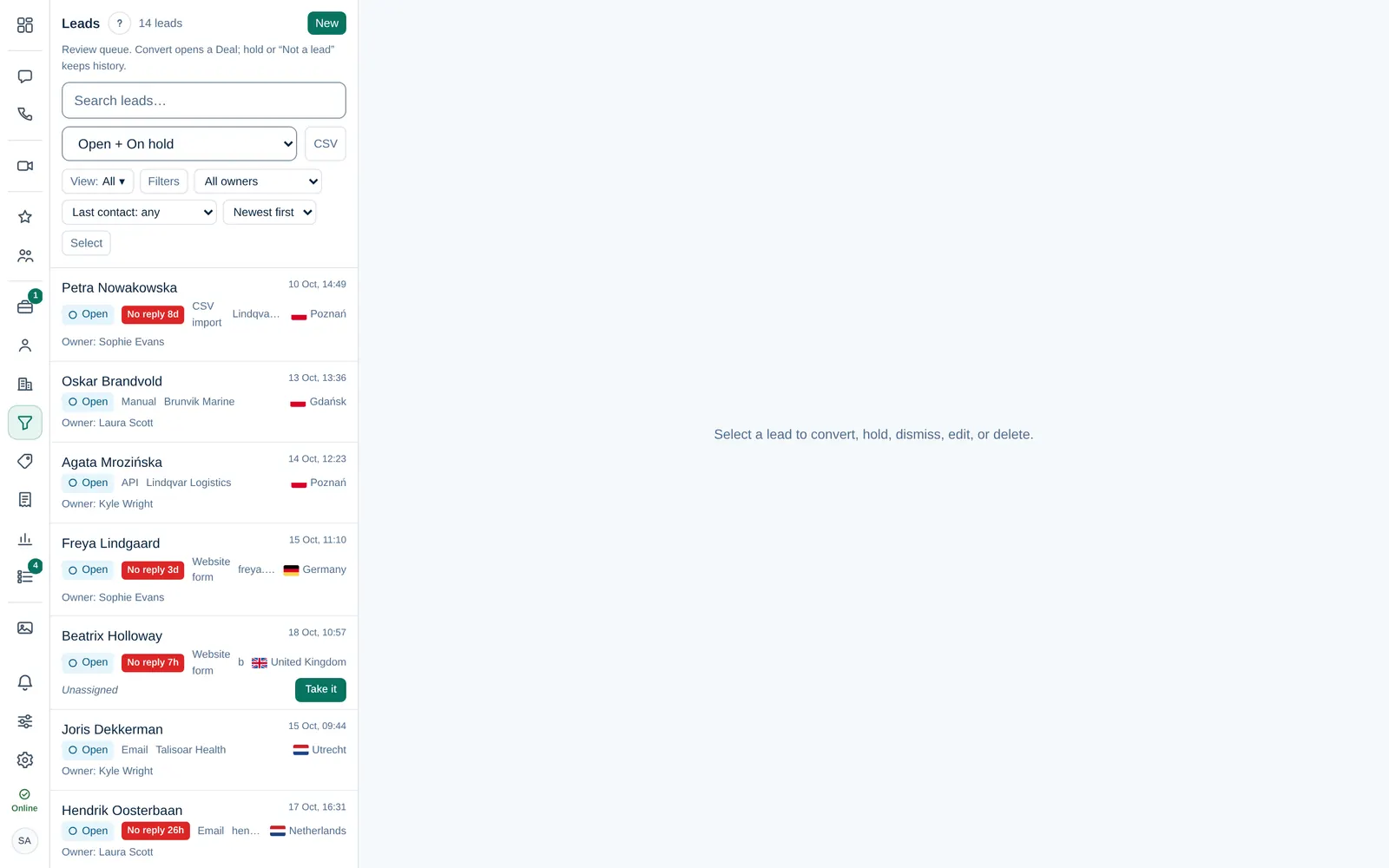
- Leads without an owner show Take it. Select it to make the lead yours.
- A red No reply badge means nobody has answered within the time your company set. Reply first.
More in Work a lead.
2. Reply and qualify
Open a lead to see its details. Reply from its chat or email, or log a call, and fill in what you learn: company, job title, phone, notes.
3. Convert it to a deal
When the lead is a real opportunity, choose a pipeline under Decision and select Convert to deal. Dromix creates the deal, links the contact and opens it. See Convert a lead to a deal.
Not a fit? Hold parks the lead; Not a lead… dismisses it but keeps the history.
4. Keep the deal moving
- On the Deals board, drag the deal to the next stage as it progresses: Move a deal through the pipeline.
- Log calls, meetings and notes on the deal so the team sees what happened: Log calls, meetings and notes.
- Add a colleague as an observerObserver A colleague added to a deal to follow it. Observers read all its messages, emails and meeting notes and can add notes, but cannot edit or move it. when they should follow along: Deal owner and observers.
The Dashboard shows your open work, meetings this week and the deals won this week, so you can start each day there.