
Why do I only see a summary of a deal?
Why some deals show what happened and when, but not the message contents, and how to get full access by becoming an observer.
Who can use this
OwnerCompany adminHRDepartment managerMemberRequirements
- CRM access (department, personal grant or channel)
With CRM accessCRM access Permission to open Leads, Contacts, Companies and the Deals board. Owners and Company admins always have it; other people get it through their department, a personal grant, or access to a messaging channel. you can open every deal. But customer conversations are private to the people working the deal. On a deal that is not yours, you see:
You see what happened and when, but not message contents.
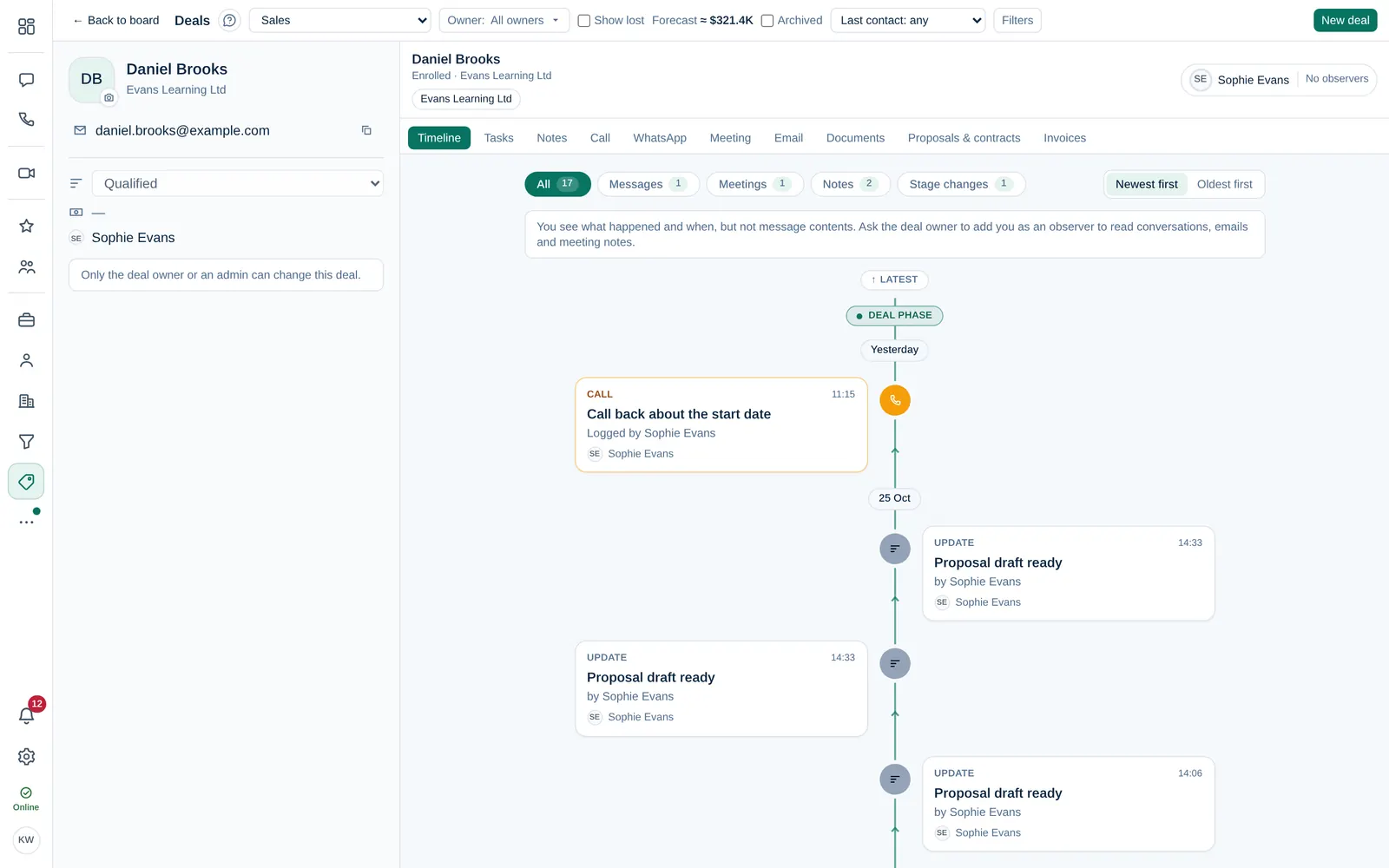
What is hidden
| You see | Hidden |
|---|---|
| That a message, email, call or meeting happened, when and by whom | The text of chat messages and emails |
| Stage changes, tasks and counts | Email subjects, call and meeting notes |
| Notes written for the team | Automated messages |
Who sees everything
- The deal ownerDeal owner The person responsible for a deal. The owner and Company admins can edit and move it; the owner gets its notifications.,
- the deal's observersObserver A colleague added to a deal to follow it. Observers read all its messages, emails and meeting notes and can add notes, but cannot edit or move it.,
- Owner and Company admin.
Get full access
Ask the deal owner to add you as an observer. Observers read everything and can add notes and log activity, but cannot edit the deal. See Deal owner and observers.
You can still add notes to a deal you only see in summary.