
Deal tasks and reminders
Plan the next step on a deal as a task, call, email or message with a due time and an assignee, and get reminded before it is due.
Who can use this
OwnerCompany adminHRDepartment managerMemberRequirements
- Owner or observer of the deal
Every open deal should have a next step. Plan it in the deal's Tasks tab, and the assignee is reminded in time.
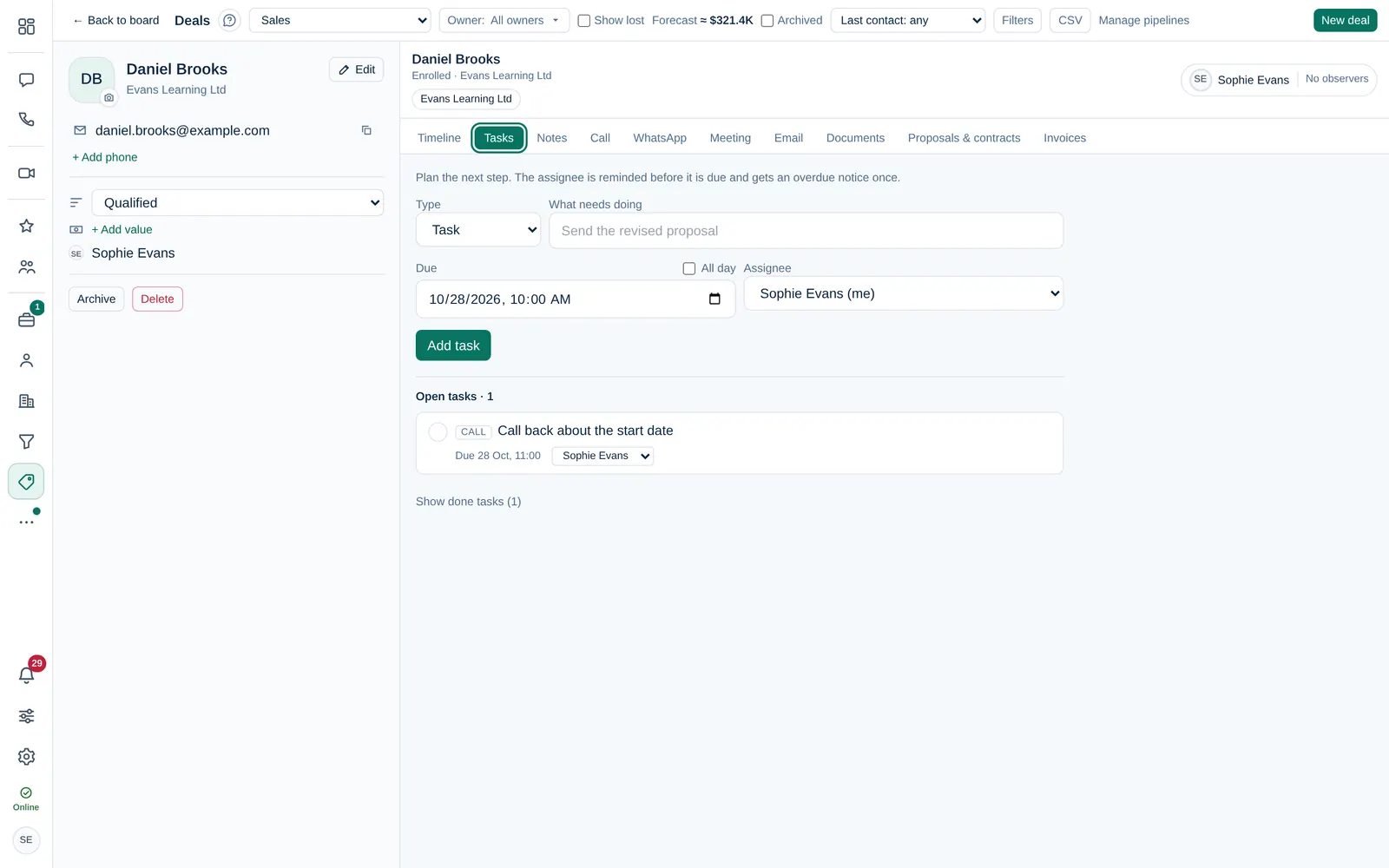
Add a task
- Open the deal and select Tasks.
- Choose the Type: Task, Call, Email or Message.
- Describe What needs doing, for example "Call back about the quote".
- Set the Due date and time, or tick All day.
- Choose the Assignee, for example Me or a colleague.
- Select Add task.
Only the deal owner, its observers, Owner and Company admin can plan tasks on a deal.
Finish a task
Tick the task or select Mark done. Done tasks are hidden; select Show done tasks to see them, and Reopen to undo.
Overdue tasks are marked Overdue on the deal and appear in Reminders on the Dashboard. Your tasks from all deals and leads also appear in My work → My tasks.
Reminders
- The assignee gets a reminder before a timed task is due: 15 minutes before by default.
- All-day tasks are reminded at 09:00 on the day.
- If a timed task is still open 1 hour after it was due, the assignee gets one overdue notice. For all-day tasks, at 09:00 the next day.
- Reminders wait while you are on Do not disturb, Away or in company quiet hours, and go out when you are back.
Change the reminder time in Settings → Reminders and digest (Task reminder). There you can also turn on the Daily digest email at 08:30: overdue and today's tasks, deals idle for 7 days or more and unassigned leads.