
Decide who gets CRM access
Give whole departments access to Leads, Contacts and Deals, add or remove single people, and understand which rule wins.
Who can use this
OwnerCompany adminRequirements
None beyond the role
CRM accessCRM access Permission to open Leads, Contacts, Companies and the Deals board. Owners and Company admins always have it; other people get it through their department, a personal grant, or access to a messaging channel. lets a person open Leads, Contacts, Companies and the Deals board. It is separate from the role: a Member in Sales usually needs it, a Member in Finance usually does not.
Customer data stays on your company's own Dromix server. It is not encrypted, which is why you decide carefully who sees it.
How Dromix decides
Dromix checks these rules in order and stops at the first one that applies:
- Owner Company admin Owner and Company admins: always have access.
- Guest Guests: never have access.
- A personal Revoke: no access.
- A personal Grant: access.
- Member of a CRM department: access.
- Channel agentChannel agent A person chosen to answer a WhatsApp, Instagram or Facebook channel. Channel agents get CRM access automatically. for WhatsApp, Instagram or Facebook: access.
- Otherwise: no access.
HR and Department managers have no automatic access; the same rules apply to them.
Give departments access
- Open Company admin → Sales & integrations → CRM access.
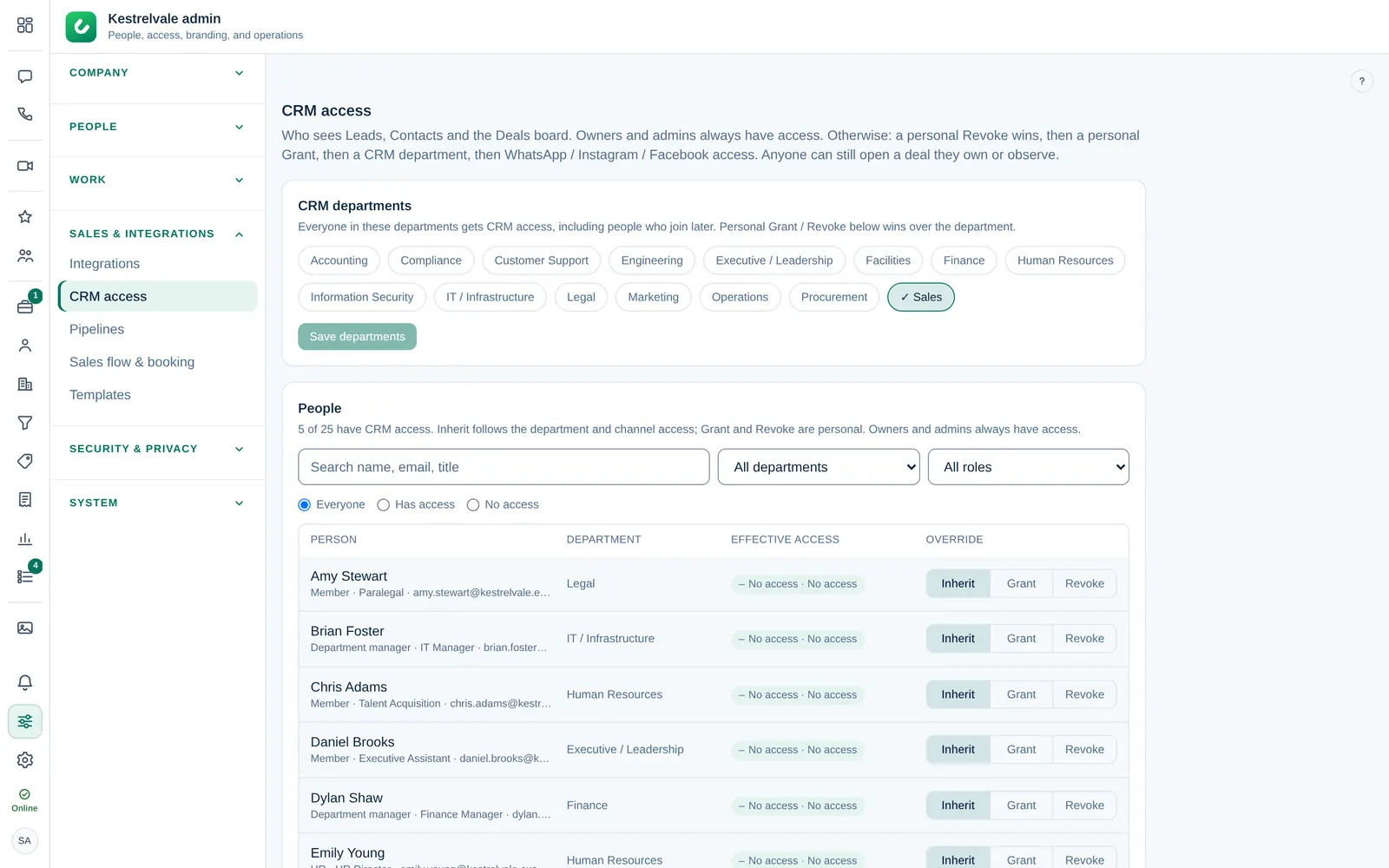
- Under CRM departments, select the departments that work with customers.
- Select Save departments.
Everyone in those departments gets access, including people who join later.
Set an exception for one person
In People, find the person (search, or filter by department, role, Has access or No access) and choose:
- Inherit: follow the department and channel rules (the default).
- Grant: access, even if their department has none.
- Revoke: no access, even if their department has it.
The change is saved immediately, with an Undo option. Effective access shows the result for each person. Owner and Company admins show Always has access.
The person sees Leads, Contacts and Deals after they reload Dromix.
Things to know
- Departments come from Company → Catalog. Add missing ones there first.
- Someone without CRM access who owns or observes a deal still sees that deal under Deals.
- Removing access hides the CRM screens. It does not change who owns which lead or deal: reassign their leads and deals if they leave sales.