
Create a deal
Add a new deal by hand with its company, stage, value, owner and expected close date, and see when Dromix creates deals for you.
Who can use this
OwnerCompany adminHRDepartment managerMemberRequirements
- CRM access (department, personal grant or channel)
Most deals start from a lead: see Convert a lead to a deal. You can also add a deal yourself, for example after a phone call or a trade fair.
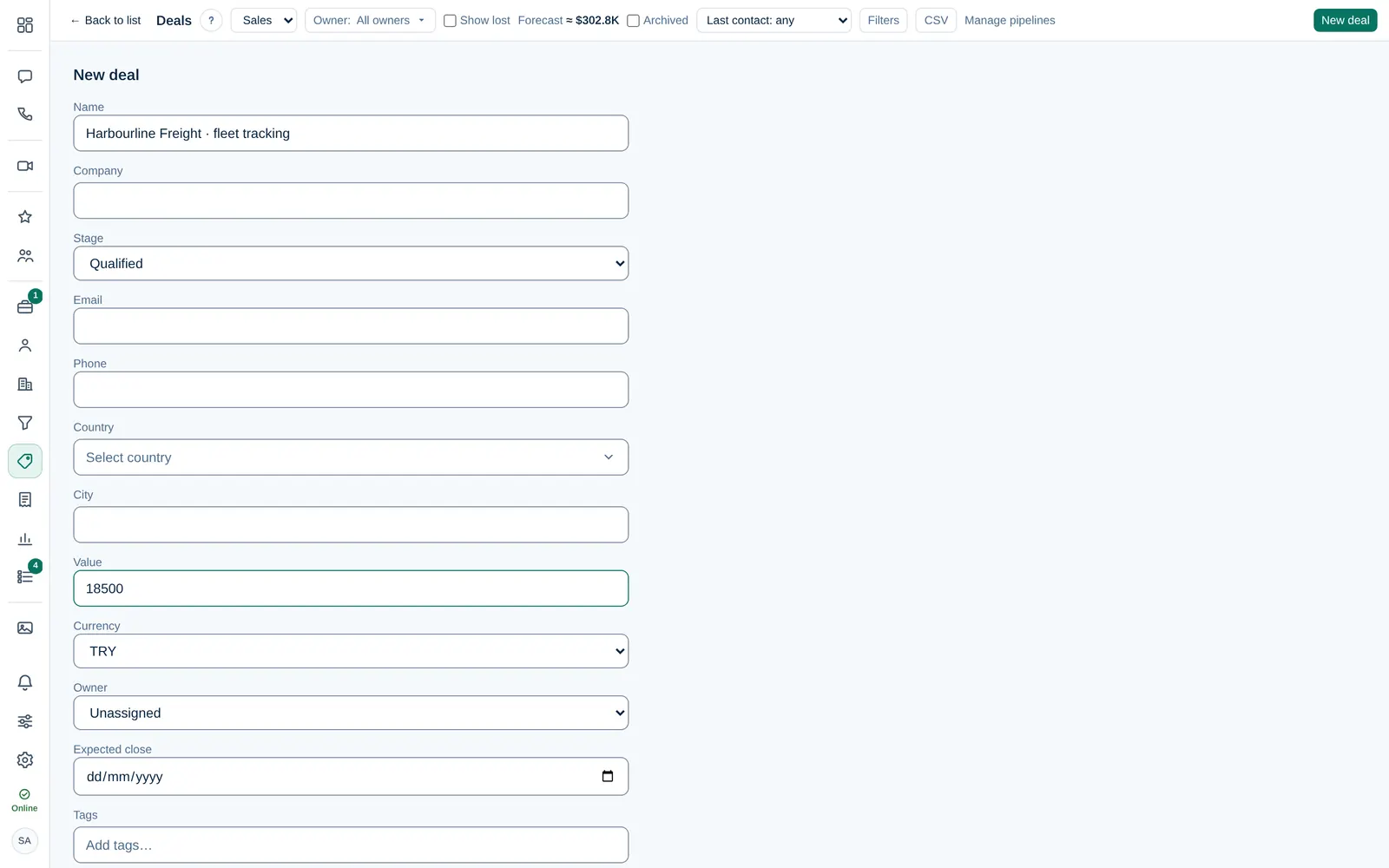
Add a deal
- Open Deals and pick the pipeline at the top.
- Select New deal.
- Enter the Name of the deal, for example the customer and what they want.
- Choose or type the company. A new company is created if it does not exist yet.
- Choose the Stage. New deals usually start in the first stage.
- Add the customer's Email and Phone, and the country and city.
- Enter the Value and Currency.
- Choose the Owner. Leave it Unassigned if someone else will take it.
- Set the Expected close date, add tags and fill in More fields if your company uses custom fields.
- Select Create. You see Deal created.
Only people with CRM accessCRM access Permission to open Leads, Contacts, Companies and the Deals board. Owners and Company admins always have it; other people get it through their department, a personal grant, or access to a messaging channel. can create deals. Someone who only owns or observes deals without CRM access cannot create new ones. Guest Guests cannot create deals.
Who can change the deal
Once the deal has an owner, only the owner and Owner Company admin can edit it, move it or change the owner. An unassigned deal stays open to everyone with CRM access, so unassigned work is never stuck. See Deal owner and observers.
The value on the board
Each column on the board shows the total value of its deals. The forecast multiplies each deal's value by its stage's win probability. If your deals use different currencies, totals are converted to your company's base currency at today's rates.