
Convert a lead to a deal
Turn a qualified lead into a deal in the right pipeline, and what Dromix does with the contact, the chats and the owner.
Who can use this
OwnerCompany adminHRDepartment managerMemberRequirements
- CRM access (department, personal grant or channel)
Convert a leadLead A new enquiry that has not been qualified yet, for example a WhatsApp message, a web form or an imported row. You work a lead and then convert it into a deal or dismiss it. when it is a real sales opportunity. The lead becomes a dealDeal A sales opportunity with a value, an owner and a stage in a pipeline. Deals are what the Deals board, the forecast and the sales reports count. on the Deals board, and its history comes along.
Convert
- Open Leads and select the lead.
- Check the details, especially Owner, Email and Phone: they are carried over.
Under Decision, choose the Pipeline for convert if your company has more than one.
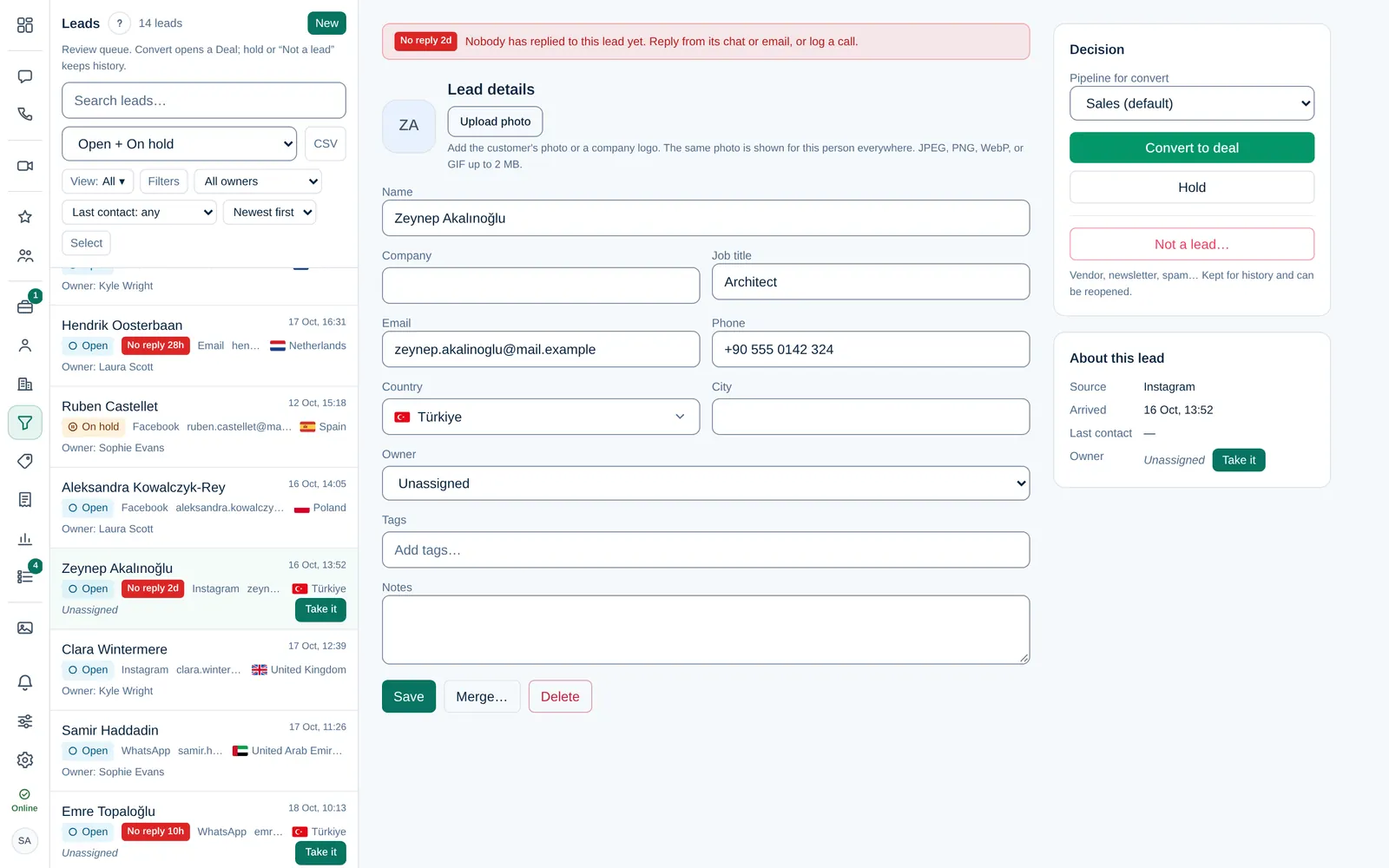
- Select Convert to deal.
Dromix opens the new deal right away.
What Dromix does
| Result | |
|---|---|
| Deal name | The lead's name |
| Stage | The first open stageStage One step of a pipeline, shown as a column on the Deals board. Each stage has a win probability that the forecast uses. of the chosen pipelinePipeline The ordered list of stages a deal goes through, from first contact to Won or Lost. A company can have several pipelines, for example one per product line. |
| OwnerDeal owner The person responsible for a deal. The owner and Company admins can edit and move it; the owner gets its notifications. | The lead's owner |
| ContactContact A person you do business with, stored in Contacts with their channels, deals and timeline. | An existing contact with the same email or phone is reused; otherwise a new one is created |
| Chats | The lead's WhatsApp, Instagram, Facebook and email conversations are linked to the deal |
| The lead | Gets the status Converted and leaves the default list |
When the contact already has an open deal
If the contact already has an open deal, Dromix asks before creating a second one:
- Open it opens the existing deal and leaves the lead as it is.
- Create another deal creates a new deal anyway, for example for a separate order.
Things to know
- A dismissed lead cannot be converted. Reopen it first with Reopen lead.
- After converting, continue on the deal: Move a deal through the pipeline.
- If the lead arrived at the company main inbox, a brand inbox or a pipeline's own sending inbox, the pipeline that inbox suggests is already chosen under Pipeline for convert, with the note Suggested by the team inbox this email arrived at. See Email leads and pipelines.
- With brands, a lead without a suggestion gets the Default pipeline of its brand preselected, with the note Default pipeline of …. A lead of your company gets the company's Default. Dromix only asks about an existing open deal of the same brand.