
Your first 10 minutes as a department manager
Where a department manager decides requests from their team, sees who is away, finds the team report and sets a cover before going on leave.
Who can use this
Department managerRequirements
None beyond the role
As a Department manager, you decide requests from your department and keep an eye on your team. You have everything a Member has, plus these five things.
1. Decide your team's requests
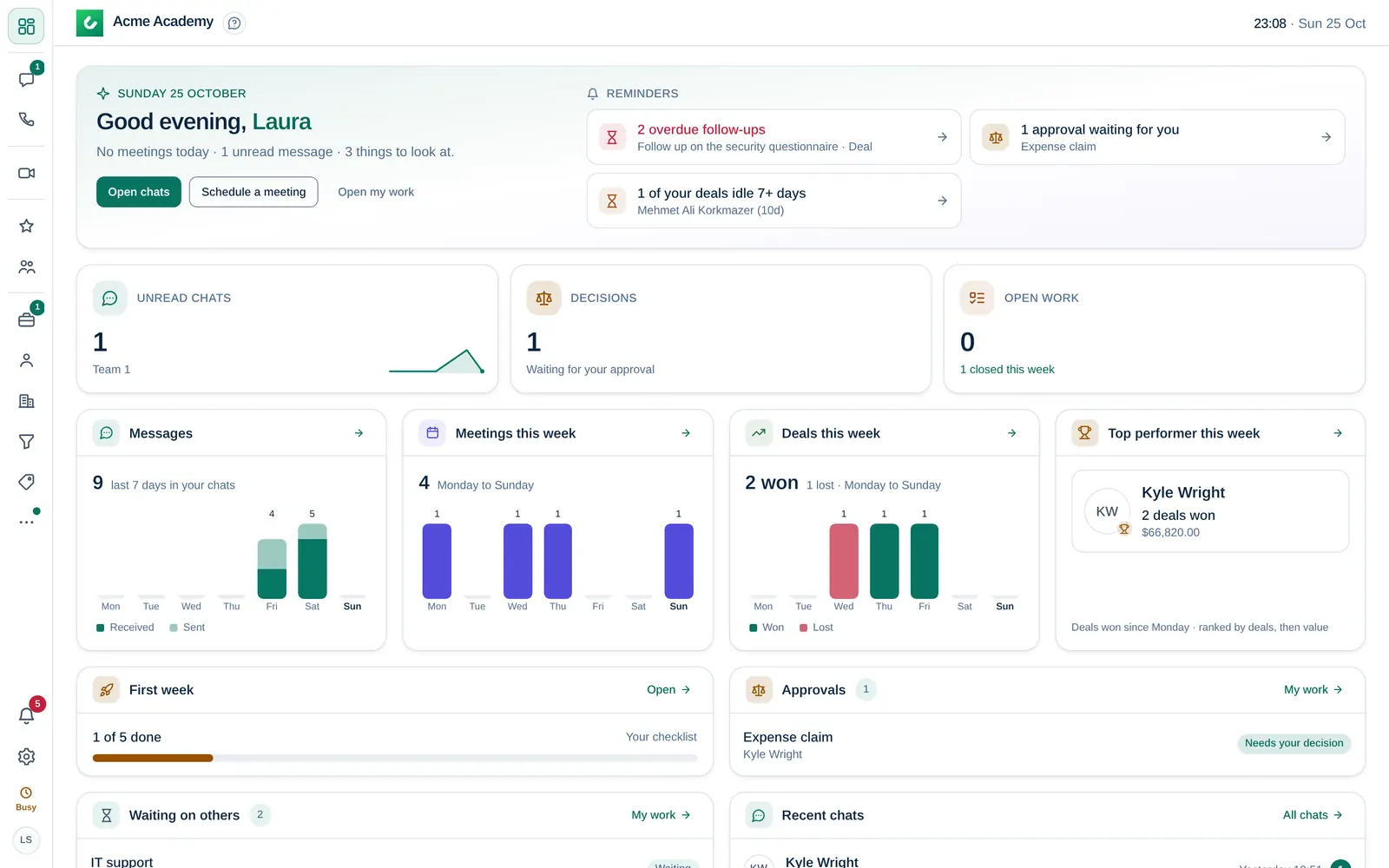
Leave, expenses and other approvals from your department come to you when the person has nobody set under Reports to, or reports to you. Open My work → Needs you and select Approve or Reject. The Dashboard also lists decisions waiting for you. See Approve or reject a request.
2. Pick up open team requests
On the Dashboard, open work also includes requests to your team that nobody has taken yet. Open one and select Claim to take it.
3. See who is away
Open My work → Time off. Under Who's away, choose My team to see approved leave in your team for the month. See Request time off.
4. Check the team report
Open Reports from the More menu (three dots) in the left rail and choose the Team tab to see activity per person. If your department works with customers and has CRM access, Sales shows the pipeline too. See Sales reports.
5. Set a cover before you go away
Before your leave, choose a colleague who decides for you while you are away: in My work, select the gear button (My work settings) and set Out of office. New approvals then go to them. See Let someone cover your approvals.
You are a department manager because a Company admin set your role in Organization. Ask them if the wrong people come to you, for example when someone's department or Reports to is not right.