
Change the language
Switch Dromix to English, Turkish, German, Russian or Polish for your account, and see what follows your language choice.
Who can use this
OwnerCompany adminHRDepartment managerMemberGuestRequirements
None beyond the role
Each person chooses their own language. Dromix is available in English, Türkçe, Deutsch, Русский and Polski.
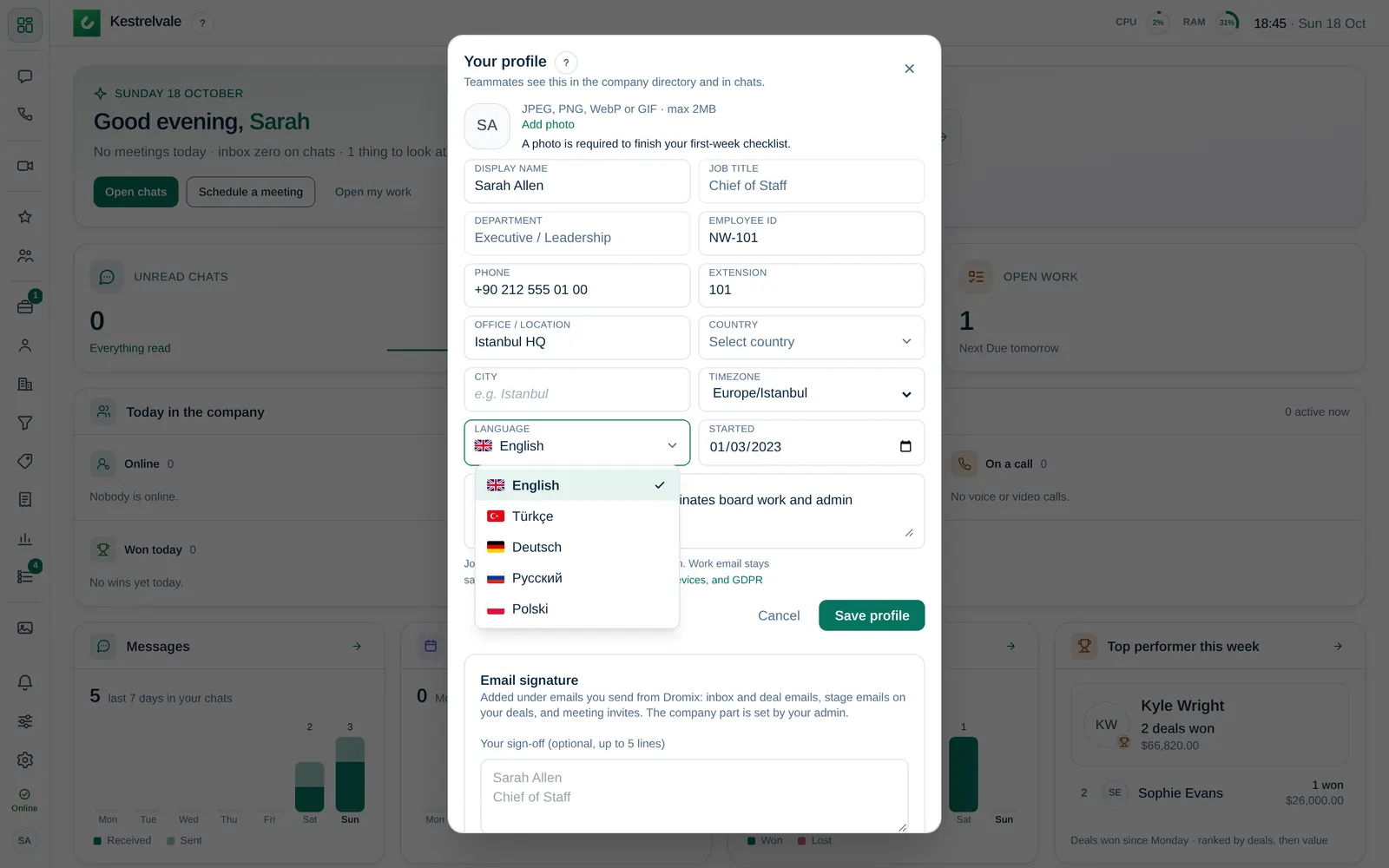
Change your language
- Open the account menu and choose Profile.
- Under Language, choose your language.
The page reloads in the new language. The choice is saved to your account, so it follows you to every device.
What follows your language
- Menus, buttons and messages in the app.
- Emails Dromix sends you, for example approval requests.
- Dates and numbers, for example the order of day and month.
- The titles of many notifications, for example approval requests, meeting reminders and deal assignments.
- The default lost reasons, as long as your company has not renamed them.
Some things stay as they were written:
- Messages, notes and documents from your colleagues and customers.
- Names your company chose, for example pipeline stages, request types, departments and checklist steps.
- The body of some notifications, which can still be in English.
- Tasks and timeline entries that stage automations create. They are written once, in your company's default language.
Before you sign in
Before you sign in, Dromix uses the language you picked on the Dromix website or in the Help Center, otherwise your company's default language. Once you sign in, your profile language is used.