
Sales reports
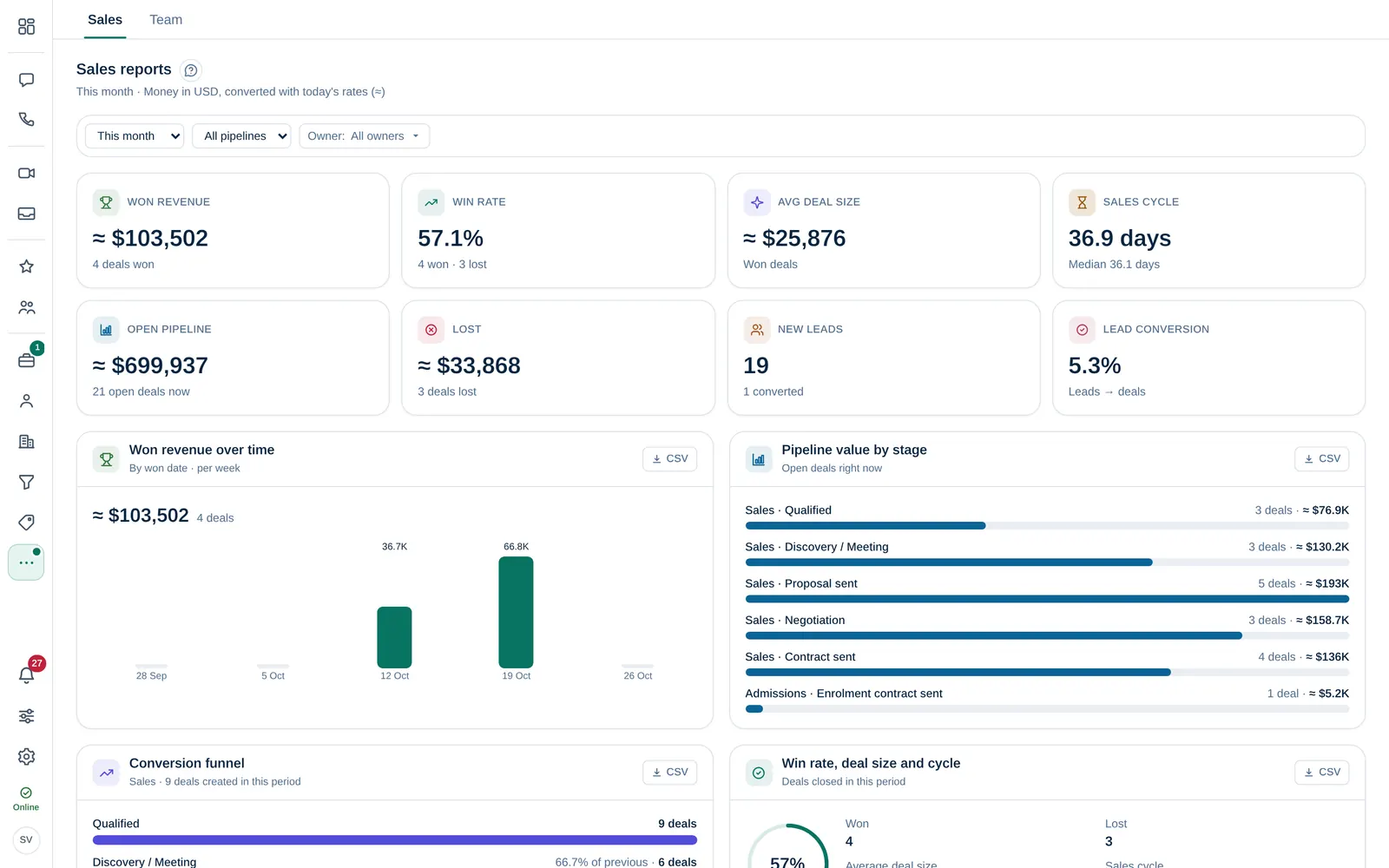
Read won revenue, win rate, deal size, sales cycle, pipeline, conversion funnel, lost reasons and lead sources, and download each table as CSV.
Who can use this
OwnerCompany adminHRDepartment managerMemberRequirements
- CRM access (department, personal grant or channel)
Open Reports in the menu. Sales shows how your pipeline performs; Owner Company admin and Department manager also see a Team tab with activity per person.
Choose what you see
At the top:
- Date range: Today, This week, This month, Last month, This quarter, This year or Custom with From, To and Apply.
- Pipeline: one pipeline or All pipelines.
- Owner: everyone, My deals or selected people.
Money is converted to your company's base currency at today's rates (≈). Without general CRM access you see Only your own deals, leads and activity.
With brands, All brands narrows every report to your company (main brand) or one brand: deals by the brand of their pipeline, leads by their own brand. The pipeline list then shows that brand's pipelines.
Key figures
| Figure | Meaning |
|---|---|
| Won revenue | Value of the deals won in the period |
| Win rate | Won deals out of all deals closed in the period |
| Avg deal size | Average value of won deals |
| Sales cycle | Days from created to won |
| Open pipeline | Value of the open deals right now |
| New leads and Lead conversion | Leads created in the period and how many became deals |
The reports
- Won revenue over time: by won date, per day, week, month or quarter.
- Pipeline value by stage: open deals right now.
- Conversion funnel: how many deals created in the period reached each stage.
- Win rate, deal size and cycle per period.
- Lost reasons: why deals were lost and to which competitors.
- Lead sources: leads per source, how many converted, and won deals by source.
- Leaderboard: won value, open pipeline and activities per owner.
- Activities per person: emails, calls, meetings and notes logged.
Select CSV on any table to download it.
Won and lost use the stored close dates. Archived deals are not counted.