
Choose who answers WhatsApp, Instagram and Facebook
Give colleagues access to customer chats on WhatsApp, Instagram and Facebook, one by one or in bulk, and what channel agents can then see.
Who can use this
OwnerCompany adminRequirements
None beyond the role
Customer chats on WhatsApp, Instagram and Facebook are visible only to the people you choose, Company admins included. These people are channel agentsChannel agent A person chosen to answer a WhatsApp, Instagram or Facebook channel. Channel agents get CRM access automatically..
Give access
- Open Company admin → Sales & integrations → Integrations and select WhatsApp, Instagram or Facebook.
- Scroll to Access. The line at the top shows how many people have access and how many customer chats there are.
- Find people with the search (Search name, email, title) or the filters All departments, All roles and Everyone / Has access / No access.
- Select Give access next to one person. To add several, tick them and select Give access with the number, for example Give access (3).
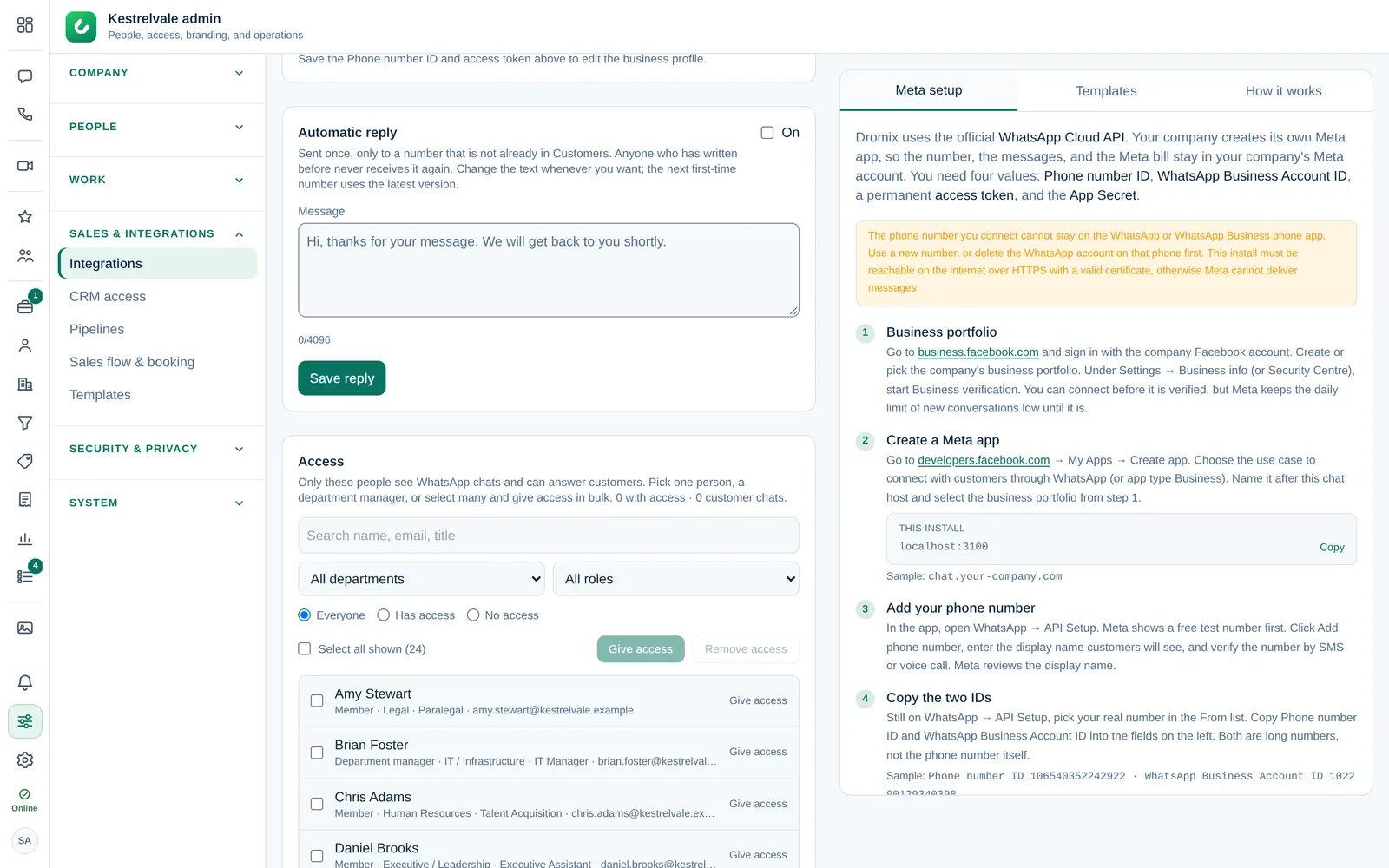
Dromix confirms with Access given to 3 people. The people see the customer chats in their chat list after they reload Dromix.
Nobody has access yet. Customer messages are kept, but no one will see them until you add people. Add at least one person as soon as the channel is connected.
What channel agents get
- The customer chats of that channel, with a label such as WhatsApp. Everyone with access sees the same chats.
- CRM accessCRM access Permission to open Leads, Contacts, Companies and the Deals board. Owners and Company admins always have it; other people get it through their department, a personal grant, or access to a messaging channel. automatically, so they can open the contact, lead or deal behind a chat. See the order of rules in Decide who gets CRM access.
- New leads from that channel, if you hand them out automatically. See Lead settings.
Remove access
Select Remove next to the person, or tick several and select Remove access. Their open conversations stay in the channel for the others to answer.
Customer chats are not encrypted, because they pass through WhatsApp, Instagram or Facebook. Give access only to the people who answer customers.