
Your license and seats
Check your Dromix plan, how many seats are used, when the license runs out and what happens when the seat limit is reached.
Who can use this
OwnerCompany adminRequirements
None beyond the role
Your Dromix license decides your plan, how many people can use Dromix and which extras you have. It is installed on your server by Dromix; you only read it here.
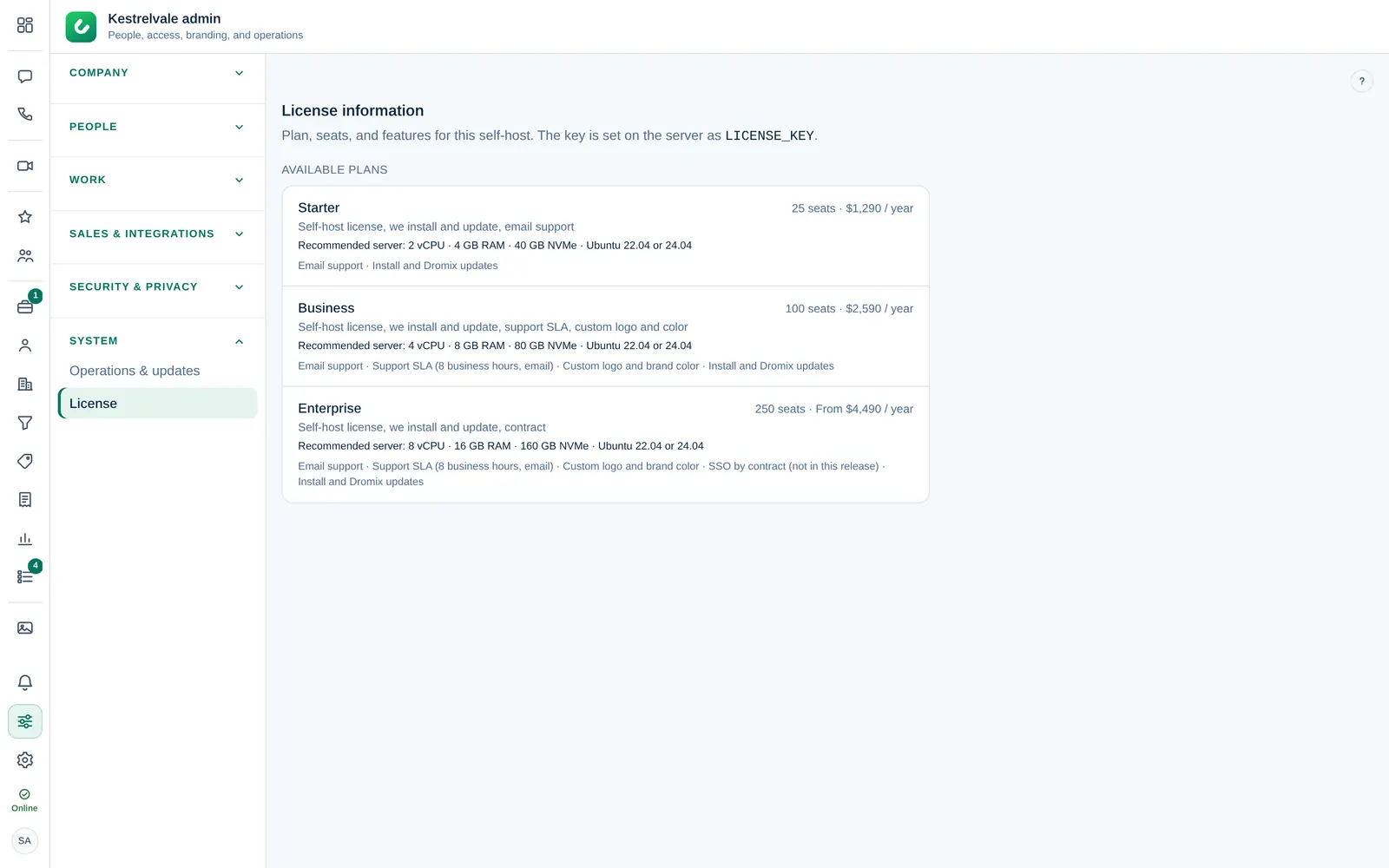
Read your license
Open Company admin → System → License. You see:
- Plan, for example Business self-host, and Customer: the company the license was issued to.
- Host match: This host is licensed when the license belongs to this server's address.
- Seats: people plus pending invites, against the limit of your plan.
- Valid until: the end date of the license.
- Invites: Allowed, or Blocked until the license is valid and seats remain.
- White label: whether you can set your own logo and brand color. See Logo and brand color.
- Brands: how many brands you can add besides your company (Starter 1, Business 3, Enterprise 10). Pipelines are unlimited. See Brands.
- Included features and the Available plans with their seats.
The status at the top is Active, Seat limit reached, Expired, Invalid or Unlicensed.
Who counts as a seat
A seat is used by:
- every person with an account, including Guest Guests and suspended people;
- every invite that is not yet accepted and has not expired.
A person who is offboarded or removed no longer uses a seat. See Suspend, offboard or remove someone.
When seats run out
When all seats are used, you cannot send new invites; everyone who already has an account keeps working. To free a seat, revoke an invite you no longer need or offboard someone who has left. To add seats or change your plan, contact Dromix sales at sales@dromix.net.
When the license is Expired or Invalid, new invites are blocked too. To renew, contact Dromix billing at billing@dromix.net before the Valid until date.
Changing the license key
The license key is stored in the server settings, not in Dromix itself. Dromix support (support@dromix.net) installs a new key when you renew or change plans.