
Win or lose a deal
Close a deal as won or lost, record why it was lost and who the customer chose instead, and reopen a deal that was closed by mistake.
Who can use this
OwnerCompany adminHRDepartment managerMemberRequirements
- Owner or observer of the deal
A deal ends in a Won or a Lost stage. The date it closed counts in the reports.
Who can close a deal
The deal owner and Owner Company admin. If the deal has no owner, anyone with CRM accessCRM access Permission to open Leads, Contacts, Companies and the Deals board. Owners and Company admins always have it; other people get it through their department, a personal grant, or access to a messaging channel.. Observers cannot close it.
Win a deal
Drag the card into the Won column on the board, change the stage in the List view, or open the deal and set the Stage to Won.
Lose a deal
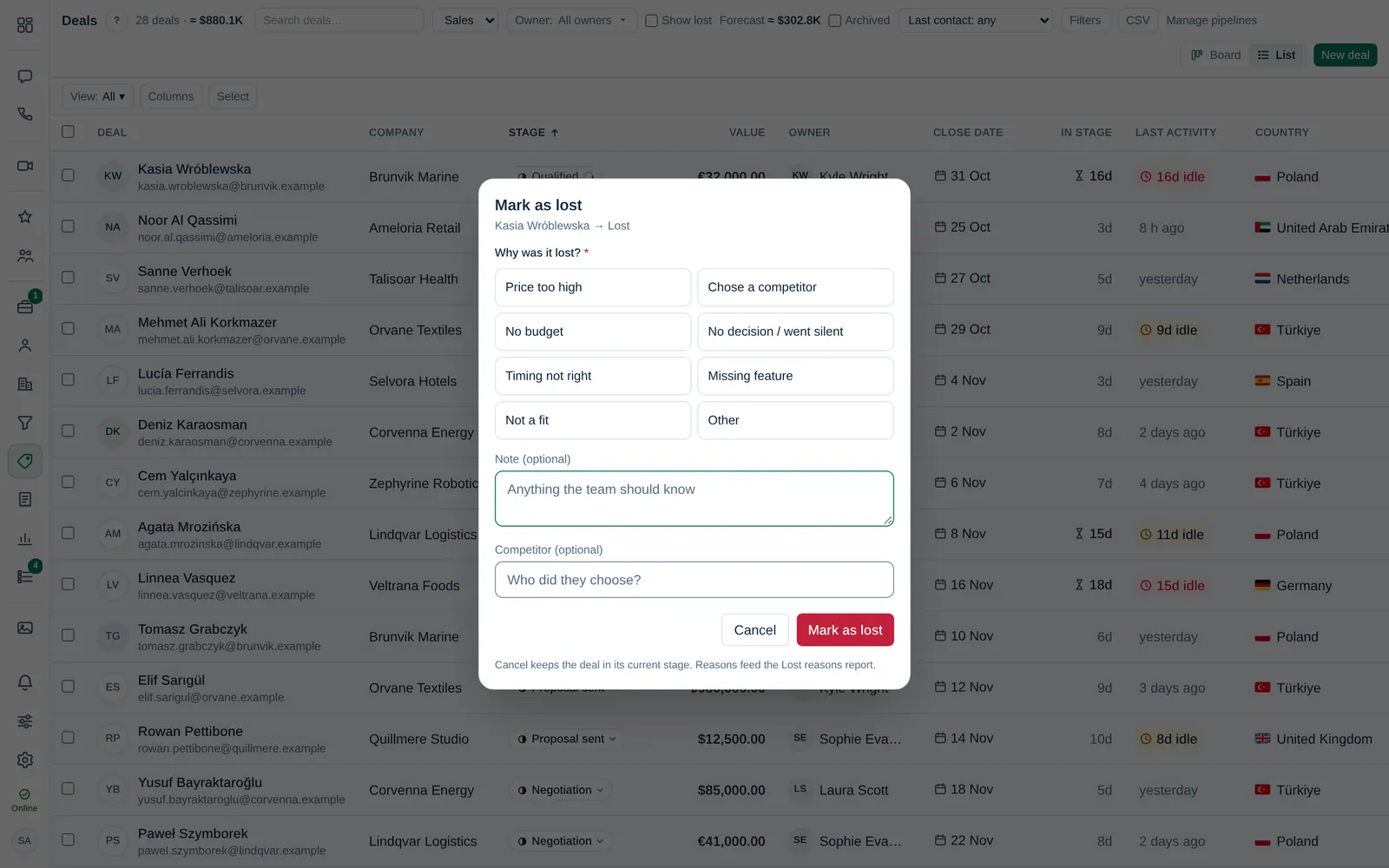
- Move the deal into the Lost stage: on the board, in the List view or with the Stage field on the deal page.
- In Why was it lost?, choose a lost reasonLost reason Why a deal was lost, chosen from a list that Company admins maintain. Lost reasons feed the lost reasons report., for example Price too high, Chose a competitor or No budget.
- Add a Note under What happened?. Some reasons require a note, for example Other.
- Under Competitor, write who they chose instead, if you know it.
- Select Mark as lost.
Cancel keeps the deal in its current stage and nothing is saved. Reasons feed the Lost reasons report.
To add or change the reason later, open the deal and select Add reason or Change next to Lost reason, then Save reason.
A Company admin chooses the list of reasons and whether a reason is required, in Company admin → Sales & integrations → Pipelines (Lost reasons). The default reasons show in your language. If your company renames a reason, everyone sees the new name.
See closed deals
Lost deals are hidden from the board. Tick Show lost in the toolbar to see them again.
Reopen a deal
If a deal was closed by mistake, move it back to an open stage. The stage change is added to the deal's timeline.