
Work a lead
Find new leads, take one, reply before the No reply badge turns red, and park or dismiss leads that are not ready.
Who can use this
OwnerCompany adminHRDepartment managerMemberRequirements
- CRM access (department, personal grant or channel)
A leadLead A new enquiry that has not been qualified yet, for example a WhatsApp message, a web form or an imported row. You work a lead and then convert it into a deal or dismiss it. is a new enquiry that nobody has qualified yet. Leads arrive from WhatsApp, Instagram, Facebook, email, web forms, the API, imports, or are added by hand. Leads is your review queue: each lead ends up converted to a deal, on hold, or dismissed.
Find your leads
Open Leads in the left rail.
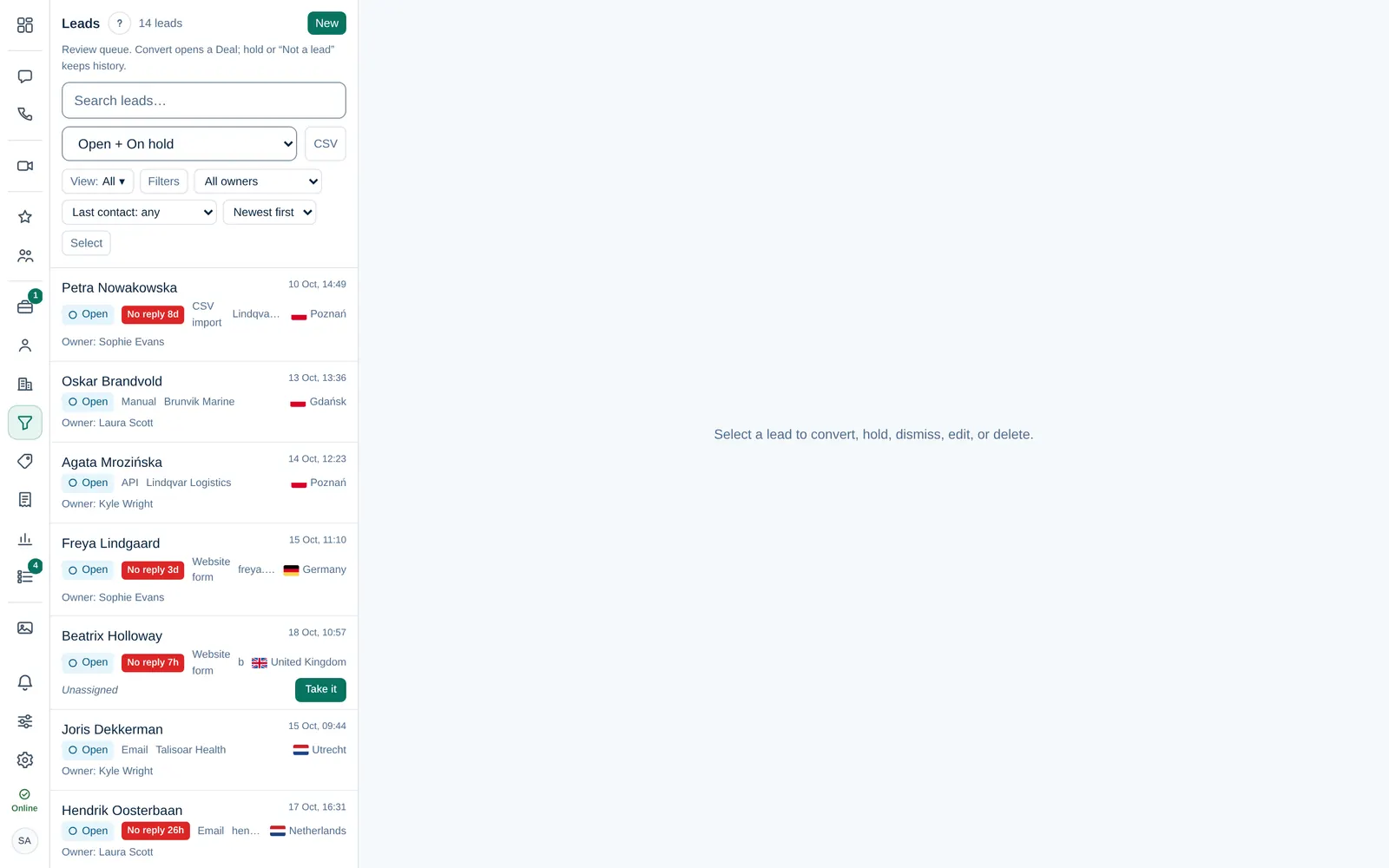
- The list shows Open + On hold leads by default. Use the status filter for converted or dismissed leads, or All.
- All owners narrows the list to one person. Filters, Last contact and the sort order help with long lists.
- Each row shows the status, the source, the country and the owner. Unassigned leads say so.
With brands, a lead of a brand shows a small brand label in the list, and the All brands filter next to the owner filter shows the leads of your company (main brand) or of one brand.
Take a lead
A lead without an owner shows Take it, in the list and in the About this lead card of its details. That card sits in the Decision column on the right, or at the top of the form on narrower screens. Select it and the lead is yours.
| Lead | Who can change the owner |
|---|---|
| No owner yet | Anyone with CRM access: take it or pick a colleague in Owner |
| Has an owner | Only that owner, the Owner of the workspace or a Company admin |
Your company may also hand out new leads automatically, per channel, in turns or to one person. A Company admin sets this in Company admin → Company → Settings → Leads.
Reply in time
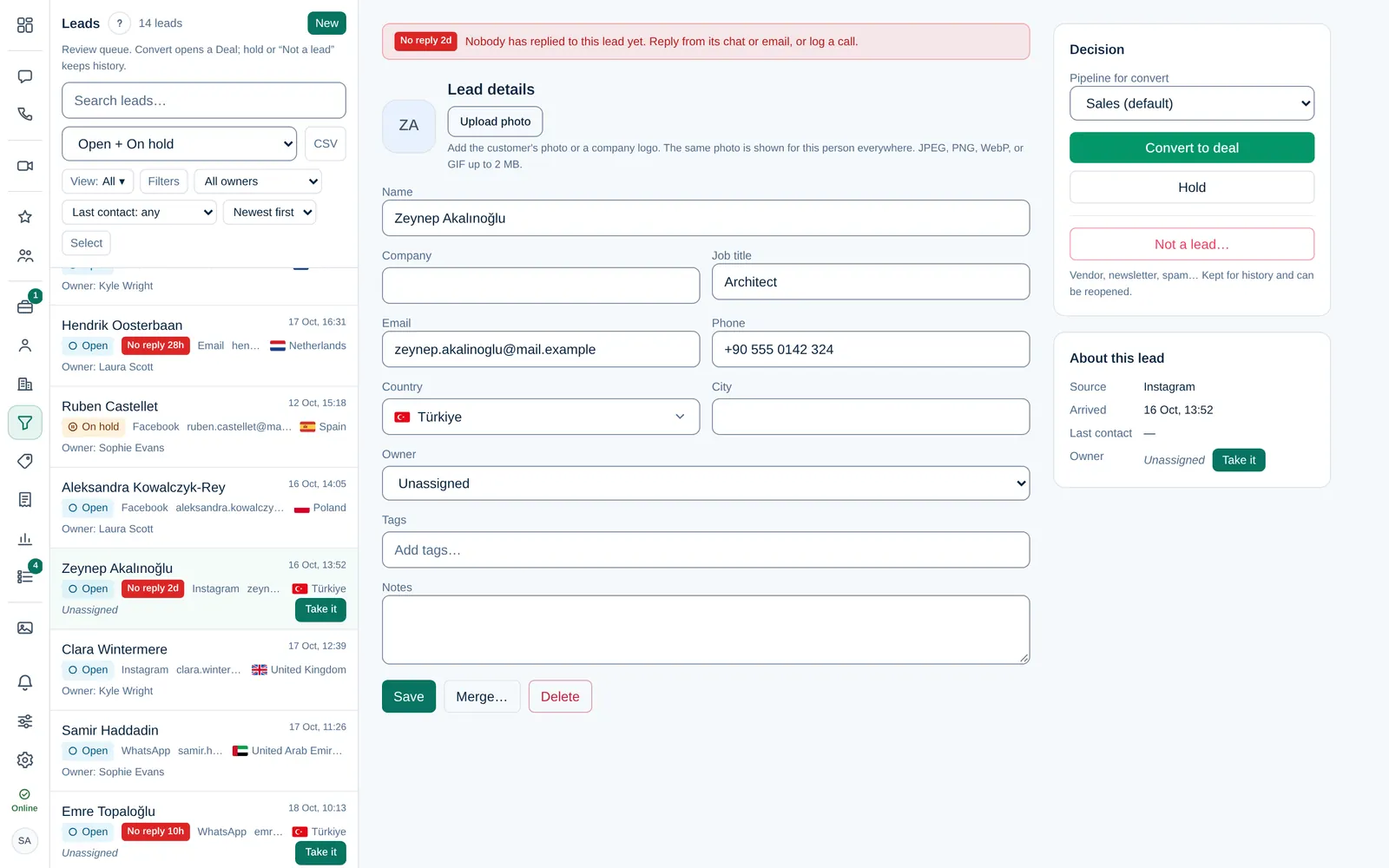
If your company set a first-reply target, open leads with no reply after that time get a red No reply badge, for example No reply 4h or No reply 2d. It shows in Leads, Chats and the Inbox. Any of these counts as a reply:
- a message sent from the lead's chat,
- an email sent from the Inbox,
- a logged call or meeting.
When the target is missed, Dromix can also notify the Owner and Company admins or the Department manager of the lead owner, once per lead.
Keep the details up to date
Fill in what you learn: Name, Company, Job title, Email, Phone, Country, City, Tags and Notes. Select Save. A photo or company logo added here is shown for this person everywhere.
With brands, Brand shows which brand the lead belongs to. Change it when the lead was filed under the wrong brand: converting then opens the deal in that brand's pipelines.
Decide what happens next
Under Decision:
- Convert to deal when there is a real opportunity. See Convert a lead to a deal.
- Hold parks the lead as On hold when the timing is not right. It stays in the default list.
- Not a lead… is for vendors, newsletters and spam. The lead is dismissed, its record and history are kept, and Dromix can stop creating new leads from that sender. Messages still arrive in the chat and Inbox.
Dismissed a lead by mistake? Choose the Dismissed status filter, open the lead and select Reopen lead. Any sender block is removed.
Delete removes the lead and its timeline for good, and is recorded in the audit log. Use Not a lead… when you want to keep the history.