
Update Dromix
See which Dromix version your server runs, start an update to the latest stable release, follow its progress and know what happens if it fails.
Who can use this
OwnerCompany adminRequirements
None beyond the role
Dromix runs on your company's own server. Updates are not installed by themselves: an Owner or a Company admin starts them when it suits the team.
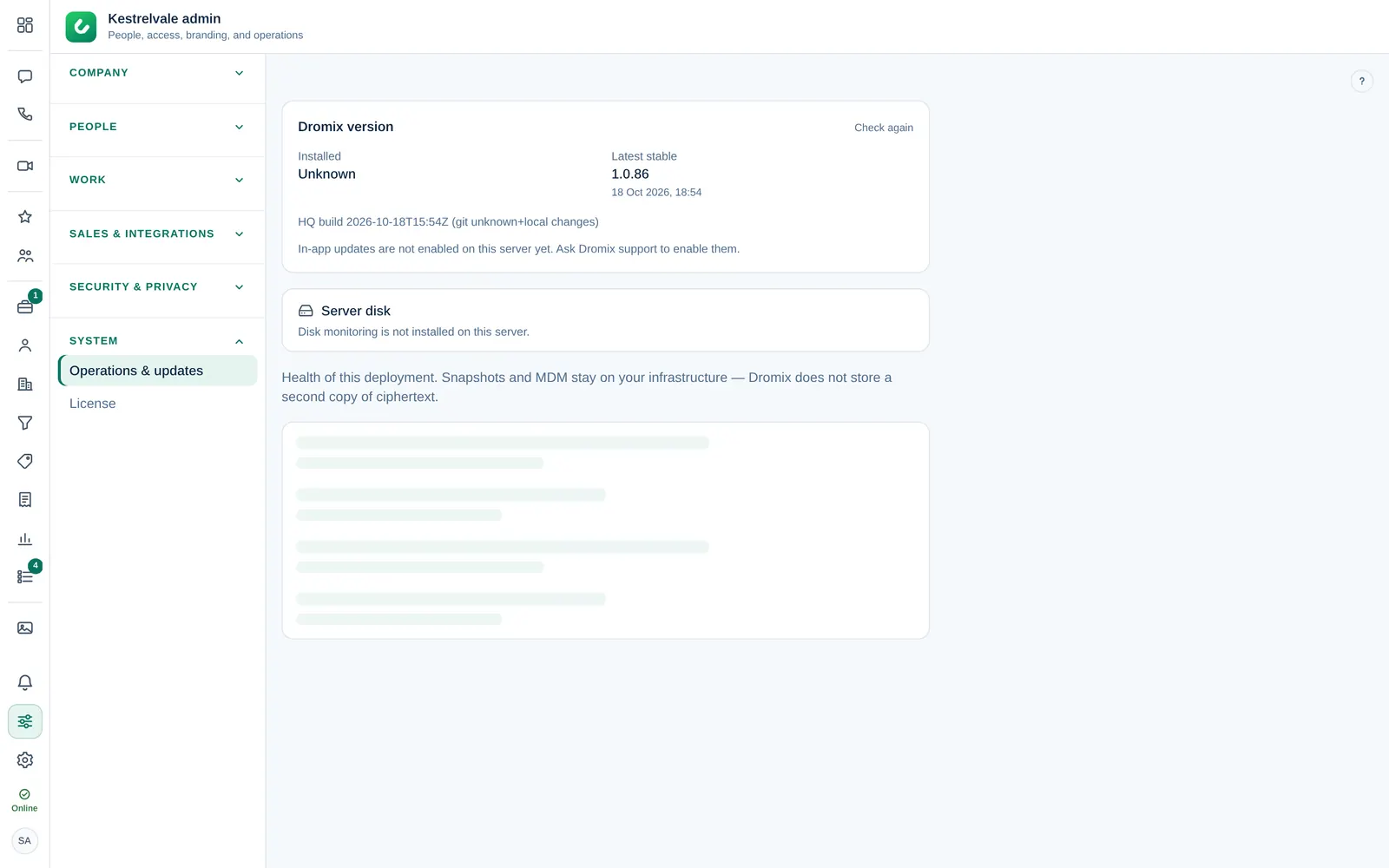
Check your version
Open Company admin → System → Operations & updates. The Dromix version card shows:
- Installed: the version your server runs now.
- Latest stable: the newest stable release. When it is newer than yours, its release notes appear below.
Select Check again to ask the release server again. You are on the latest version. means there is nothing to do.
Start an update
- Select Update to with the version number, for example Update to 1.4.0.
- Read the summary Update Dromix to …?: the versions from and to, and what happens next.
- Select Start update.
The update always goes to the Latest stable release shown on the card. You cannot choose an older or a test version, and you cannot skip the backup.
Only the Owner or a Company admin can start the update. Nobody else has this page.
While it runs
- Dromix first takes a full backup of the database. See Backups.
- A progress bar shows the current step and a percentage. Show details opens the log.
- The app restarts for a minute or two (Restarting the app…). During that time Dromix is unavailable for everyone; the app reconnects by itself when it is back.
- Keep this page open or come back later — the update continues on the server. Closing the tab does not stop it.
If the new version does not come up healthy, Dromix rolls back to the previous version automatically. The result, with its time, appears on the card. Plan updates outside busy hours.
When the button is missing
| You see | What it means |
|---|---|
| In-app updates are not enabled on this server yet. Ask Dromix support (support@dromix.net) to enable them. | The updater is not installed on your server. Dromix support sets it up |
| Release server: with an error, or Unavailable | Your server cannot reach the release server right now. Try Check again later |
| No button while an update runs | Only one update can run at a time |
Server health
Below the version card, the same page shows the server disk and the health of the database (Postgres), file storage (Object storage (MinIO)) and Redis, plus the Last database migration. Healthy means the check passed; Check means something needs attention. Old build images are cleaned up automatically; if the disk stays nearly full, free space or enlarge the disk, because a full disk stops the database.