
Move a deal through the pipeline
Drag deals between stages on the Deals board, mark them won or lost with a reason, and see who is allowed to move them.
Who can use this
OwnerCompany adminHRDepartment managerMemberRequirements
- CRM access (department, personal grant or channel)
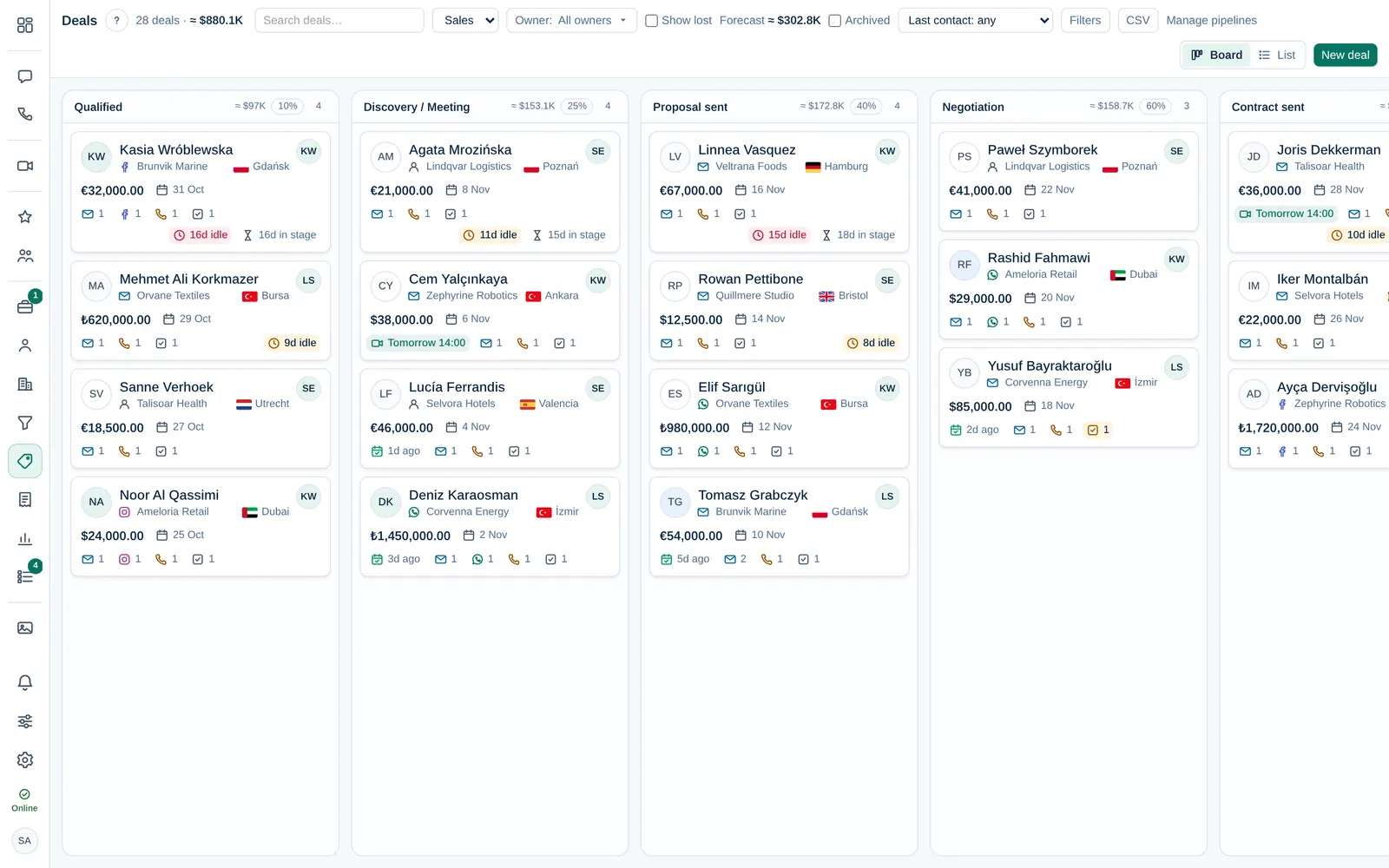
The Deals board shows every open dealDeal A sales opportunity with a value, an owner and a stage in a pipeline. Deals are what the Deals board, the forecast and the sales reports count. of one pipelinePipeline The ordered list of stages a deal goes through, from first contact to Won or Lost. A company can have several pipelines, for example one per product line. as a card in its current stageStage One step of a pipeline, shown as a column on the Deals board. Each stage has a win probability that the forecast uses.. Moving the card to the next stage is how you record progress, and the reports and forecast follow automatically.
Who can move a deal
| Person | Can move the deal |
|---|---|
| Owner Company admin | Any deal |
| The deal's ownerDeal owner The person responsible for a deal. The owner and Company admins can edit and move it; the owner gets its notifications. | Their own deals |
| Anyone with CRM accessCRM access Permission to open Leads, Contacts, Companies and the Deals board. Owners and Company admins always have it; other people get it through their department, a personal grant, or access to a messaging channel. | Deals that have no owner yet |
| ObserversObserver A colleague added to a deal to follow it. Observers read all its messages, emails and meeting notes and can add notes, but cannot edit or move it. | No: they read everything and add notes, but cannot change the deal |
If you cannot drag a card, the deal belongs to someone else. Ask the owner or a Company admin to add you as an observer, or to assign the deal to you.
Move a deal to the next stage
- Open Deals in the left rail and pick the pipeline at the top if your company has more than one.
- Drag the card into the next column and drop it. The card stays there and the stage change is added to the deal's timeline.
- If saving fails, the card jumps back to its old stage and a message tells you why.
On a phone, the stages are tabs above the cards. To move a deal there, switch to the List view and change the deal's stage in its row, or open the deal and pick a new Stage on its person card. It is saved at once, as when you drag the card.
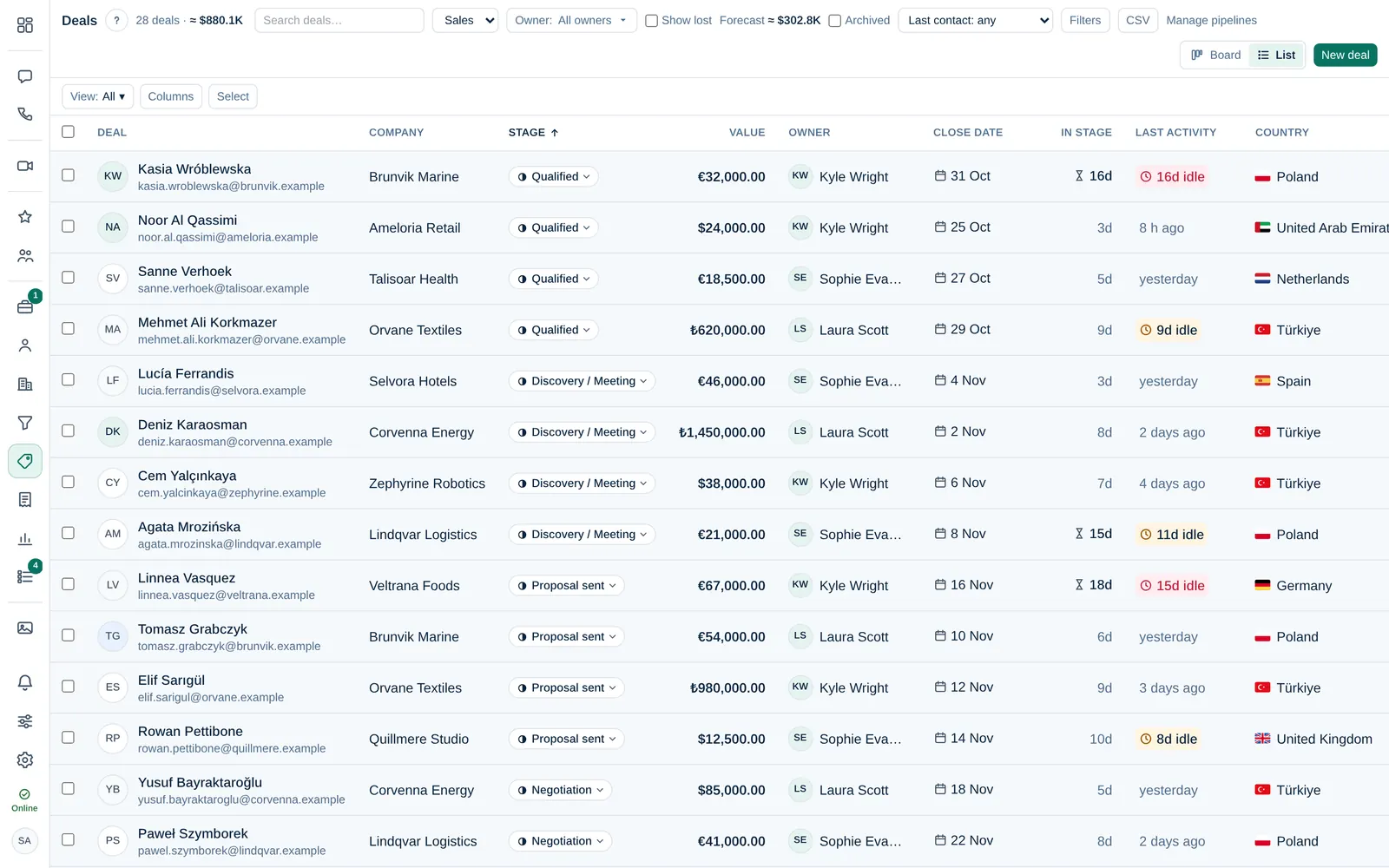
Each column shows the total value of its deals and the stage's win probability. The forecast uses value × probability. A Company admin sets the probability in Company admin → Sales & integrations → Pipelines.
Mark a deal as won or lost
- Drag the card into the Won or Lost column.
For Lost, Dromix asks why. Choose a lost reasonLost reason Why a deal was lost, chosen from a list that Company admins maintain. Lost reasons feed the lost reasons report., add a note if it helps, and select Mark as lost.
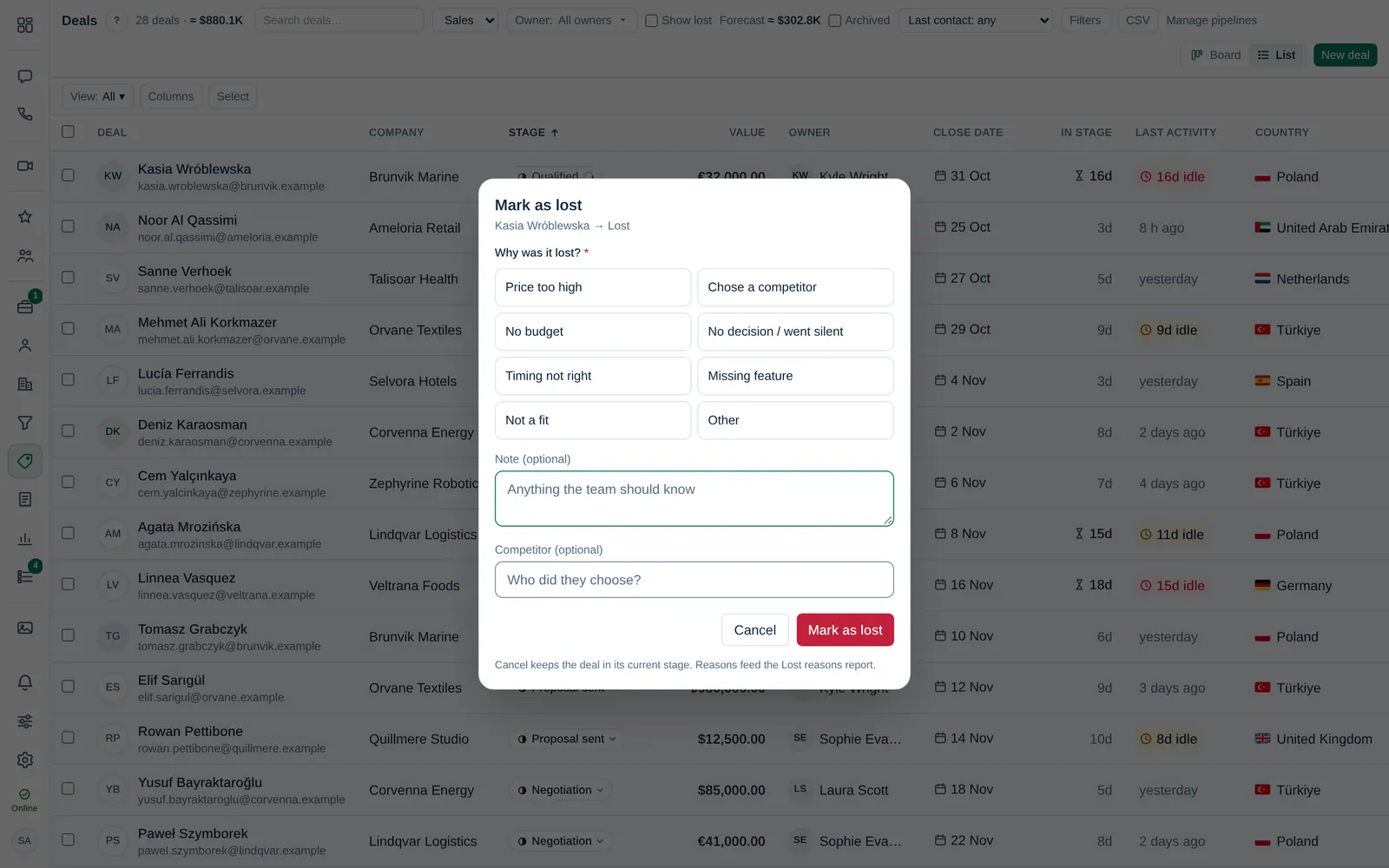
- Select Cancel instead if you dropped the card by mistake: it goes back and nothing is saved.
Lost deals are hidden from the board. Tick Show lost in the toolbar to see them again.
Owner and observers
Open a deal to see its owner and observers at the top.
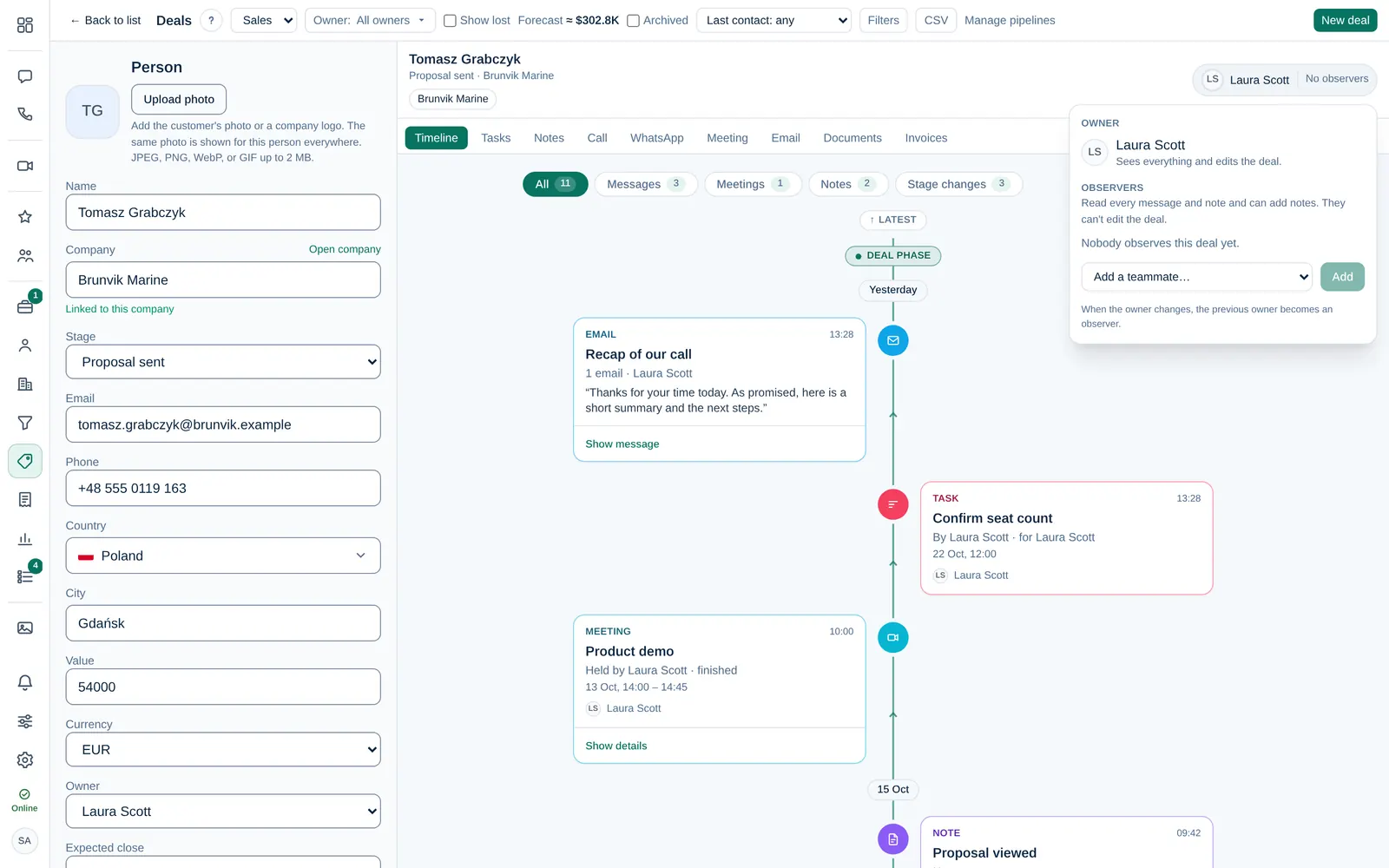
- The owner or a Company admin can assign the deal to someone else. The new owner gets a notification and an email.
- When the owner changes, the previous owner becomes an observer, so nobody loses the history.
- Observers read every message, email and meeting note on the deal and can add notes, but only the owner or a Company admin can move or edit it.
Stages can start automations, such as a task or a proposal draft. A Company admin sets them per stage in Pipelines. You see a short animation on the card when one runs.